
|
Do it yourself
| |||
| ||||


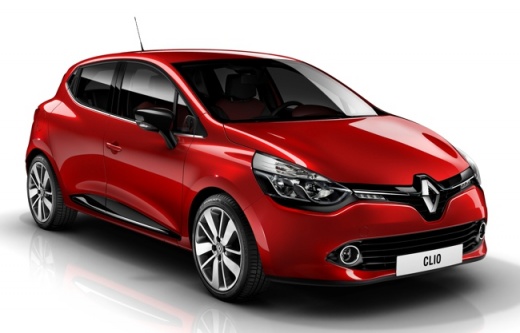
How to Make Additions and Modifications to the On-Board Computer of the Renault Clio IV
Model: Renault Clio
Clio IV, Clio 4, MK 4
- Years:
2012, 2013, 2014, 2015, 2016, 2017, 2018, 2019
Video tutorial
In this video, see how to make additions and modifications to the on-board computer of the Renault Clio IV: you will need a laptop, an OBDII, and the software. If you need the partial mileage, note it down, as it may be erased during the operation. First, locate the EOBD socket found in the glove compartment, under the cover: just lift the cover, and you will find the socket underneath. Insert your adapter (which must be Wi-Fi). You can find the software on the website mega.nz and search for the file ddt4all_win, double-click to start the program. Clicking on "cluster," a submenu will open giving you "General configuration" in the third section. Click twice, and the table will open. You must enable writing, so click on the second icon on the left, the one with Einstein's face. In the fourth row at the top, find the text "trip computer type." Select "mileage volume" and click the big button "soft reset." This will activate the measurement "km/litre." Go to row 11 "clock displayed," then to "clock" and "soft reset," then go to row 14 "External temperature reset," select the penultimate option under "writing" and confirm with "TC exit" and "soft reset." Close the program, remove the OBDII reader, and close the glove compartment.
Updated on 2 August 2026 by ScegliAuto
Related tutorials
Renault Clio
(2012-2019 /
Clio IV, Clio 4, MK 4)
In order to reset the on-board computer of the Renault Clio, you need to turn on the instrument panel so that you can navigate the menu that will app…
Renault Clio
(2012-2019 /
Clio IV, Clio 4, MK 4)
How do you remove the on-board computer from your Renault Clio? Follow this video for the correct disassembly procedure: with a thin screwdriver or p…

Renault Clio
(1998-2005 /
MK 2, Clio 2)
To reset the onboard computer of the Renault Clio, press and hold the button located on the right side of the instrument cluster while it is complete…
Other guides you may be interested in
|
How to Reset the AdBlue Warning Light on a Peugeot Boxer
To reset the AdBlue system on a 2018 Peugeot Boxer, follow these steps: Start the engine and ensure the vehicle is parked in a well-ventilated area. Locate the "MENU" button on the dashboard or steering wheel controls. Press and hold the "MENU" button until the menu options appear on the display. Use the arrow buttons or scroll wheel to access the "Vehicle Settings" or "Settings" menu. Select the "AdBlue" or "AdBlue System" option. Look for the "Recharge" or "Reset" option in the AdBlue menu. Once you find the reset option, select it and confirm your choice when prompted. The system will be reset, and a confirmation message may appear on the display. Turn off the engine and wait a few seconds. Restart the engine and check that the AdBlue system has been reset. by ScegliAuto More videos
|
|
For advertising on this site Write to info@scegliauto.com
ScegliAuto is not responsible for any inaccuracy of the data in the lists. To report any inaccuracy or your business (if you own the business in question), please write to info@scegliauto.com
Number of seconds to generate the page: 0.062
(c) ScegliAuto 2026 - info@scegliauto.com - Privacy policy VAT number: IT01247470535 |
