
|
Do it yourself
| |||
| ||||


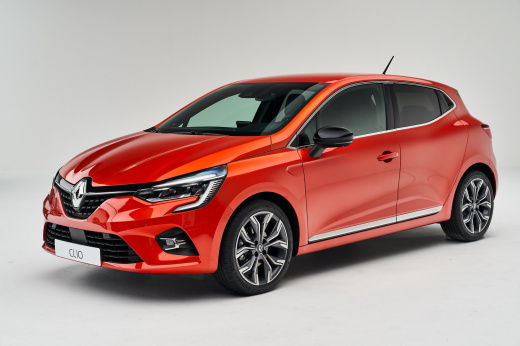
How to Install a Custom Armrest for Renault Clio V
Model: Renault Clio
Clio V, Clio 5
- Years:
2019, 2020, 2021, 2022, 2023, 2024, 2025, 2026
Video tutorial
In this video, see how easy it is to install this highly customisable armrest for the Renault Clio V, available on the website braccioli-italy-armrests.com. Searching for the armrest for the latest model of the Clio, you will find this armrest priced at £85.00 (shipping costs not available). It is highly customisable in colours and materials, and is very easy to install: simply insert the self-tapping screw and secure the base of the armrest to the central console of the vehicle. This way, the armrest will not move and you will also have a convenient compartment to store small items.
Updated on 18 August 2026 by ScegliAuto
Related tutorials
Renault Clio
(2012-2019 /
Clio IV, Clio 4, MK 4)
Today we will see the instructions that will allow us to disassemble and replace the armrest of the driver's front seat of the Renault Clio, in simpl…

Renault Clio
(2019-2026 /
Clio V, Clio 5)
Let's see how to install the front central armrest on a Renault Clio V: you can find the armrest on Amazon with code B014245ML6 for £40.28, delivered…

Renault Clio
(2019-2026 /
Clio V, Clio 5)
In order to remove the rear door panel of the Renault Clio, you first need to use a tool to pry off the window crank handle. Once this is removed, yo…
Other guides you may be interested in |
How to Set the Time in an Audi A4?
In this tutorial, you will see how to set the time in an Audi A4, a very simple and quick operation to perform after replacing the battery or when the time changes. First, insert the key and turn on the instrument cluster. Then, press the "SETUP" button located on the center console. Next, press the upper left arrow button, navigate to the "Time" option, and use the central knob to adjust the clock. Finally, set any necessary formats and save by returning to the main screen. by ScegliAuto More videos
|
|
For advertising on this site Write to info@scegliauto.com
ScegliAuto is not responsible for any inaccuracy of the data in the lists. To report any inaccuracy or your business (if you own the business in question), please write to info@scegliauto.com
Number of seconds to generate the page: 0.019
(c) ScegliAuto 2026 - info@scegliauto.com - Privacy policy VAT number: IT01247470535 |
