
|
Do it yourself
| |||
| ||||


How to Obtain the "Precode" in the Renault Clio?
Model: Renault Clio
MK 2, Clio 2
- Years:
1998, 1999, 2000, 2001, 2002, 2003, 2004, 2005
Video tutorial
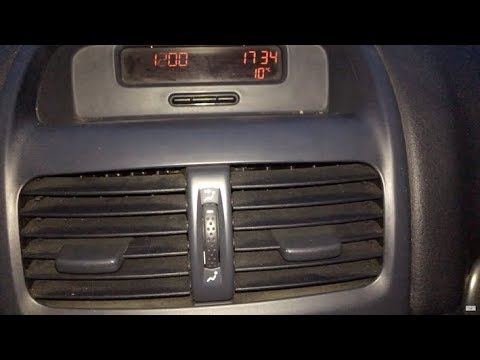
In the Renault Clio, as well as in many other models from the French manufacturer, the "precode" is the code needed to obtain the unlock code for the car radio, which must be entered after disconnecting or replacing the battery. As shown in this brief tutorial, the "precode" can be obtained in two different ways: the first involves holding down both the "1" and "6" buttons while the instrument panel is on to display the code on the main screen; the second method involves dismantling the radio itself and finding the information label located on the top side.
Updated on 21 August 2026 by ScegliAuto
Related tutorials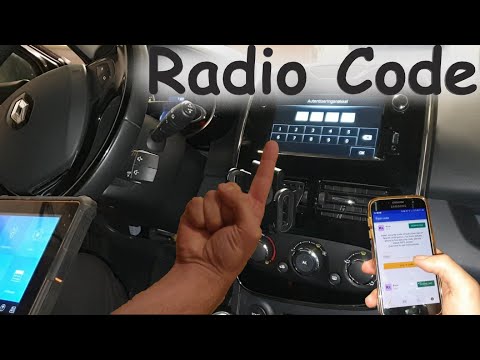
Renault Clio
(2012-2019 /
Clio IV, Clio 4, MK 4)
In this tutorial, you will learn how to retrieve the unlock code for the radio in a Renault Clio 4, which is necessary after disconnecting or replaci…

Renault Clio
(1990-1998 /
Clio 1, MK 1)
When the car radio is turned on and "error" is displayed on the screen, it means that the radio unlock code needs to be entered. This can happen in t…
Renault Clio
(1998-2005 /
MK 2, Clio 2)
To obtain the unlock code for the Renault Clio radio, remove the device to read the serial number written on the sticker inside. Once you have the se…
Other guides you may be interested in |
Frequently Asked QuestionsHow to Activate the Automatic Folding and Unfolding of the Wing Mirrors on the Jeep Compass
Follow these brief instructions to activate the automatic folding and unfolding of the external wing mirrors on the Jeep Compass. First, get inside the vehicle and turn on the ignition; then press the button located beneath the mirror glass adjustment to electrically open the mirror, as shown in the video. Pressing the button in the opposite direction will close the mirrors; by holding the button, the mirrors will open and close automatically! by ScegliAuto More videos
|
|
For advertising on this site Write to info@scegliauto.com
ScegliAuto is not responsible for any inaccuracy of the data in the lists. To report any inaccuracy or your business (if you own the business in question), please write to info@scegliauto.com
Number of seconds to generate the page: 0.070
(c) ScegliAuto 2026 - info@scegliauto.com - Privacy policy VAT number: IT01247470535 |
