
|
Do it yourself
| |||
| ||||


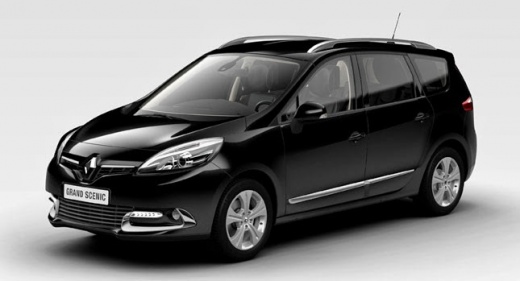
How to Change the Speed Unit on a Renault Scenic III?
Model: Renault Scenic
MK III, Scenic III, Scenic 3, MK 3
- Years:
2009, 2010, 2011, 2012, 2013, 2014, 2015
Video tutorial
In this video, we can see how to change the unit of measurement on the instrument panel of a Renault Scenic III: its display has standard digital instrumentation, meaning you cannot see the speed in both miles per hour and kilometres per hour simultaneously. It is useful to know how to change the unit of measurement; there is no direct option in the car's computer. Therefore, use the button at the end of the wiper control lever and the engine start button. With the car off, hold down the button on the end of the wiper lever, then press and hold the start button. The speedometer will start to flash. While continuing to hold the buttons, the units will change, but keep holding until the flashing stops. Once this process is complete, the speedometer will remain in the new unit of measurement, and the readings on the trip computer will also change. To return to the original setting, simply repeat the procedure.
Updated on 24 September 2026 by ScegliAuto
Related tutorials
Renault Scenic
(2009-2015 /
MK III, Scenic III, Scenic 3, MK 3)
In this guide we will see the instructions that will allow us to modify the date and time of the Renault Scenic, in simple steps. First of all, we ge…

Renault Scenic
(2009-2015 /
MK III, Scenic III, Scenic 3, MK 3)
Let's see how to change the display on the instrument panel of a Renault Grand Scenic III from miles per hour (mph) to kilometers per hour (km/h). It…

Renault Scenic
(2009-2015 /
MK III, Scenic III, Scenic 3, MK 3)
If you want to manually adjust the position of the front headlights of your third edition Renault Scenic in order to improve visibility in any condit…
Other guides you may be interested in
|
How to Set the Time in an Audi A4?
In this tutorial, you will see how to set the time in an Audi A4, a very simple and quick operation to perform after replacing the battery or when the time changes. First, insert the key and turn on the instrument cluster. Then, press the "SETUP" button located on the center console. Next, press the upper left arrow button, navigate to the "Time" option, and use the central knob to adjust the clock. Finally, set any necessary formats and save by returning to the main screen. by ScegliAuto More videos
|
|
For advertising on this site Write to info@scegliauto.com
ScegliAuto is not responsible for any inaccuracy of the data in the lists. To report any inaccuracy or your business (if you own the business in question), please write to info@scegliauto.com
Number of seconds to generate the page: 0.055
(c) ScegliAuto 2026 - info@scegliauto.com - Privacy policy VAT number: IT01247470535 |
