
|
Do it yourself
| |||
| ||||


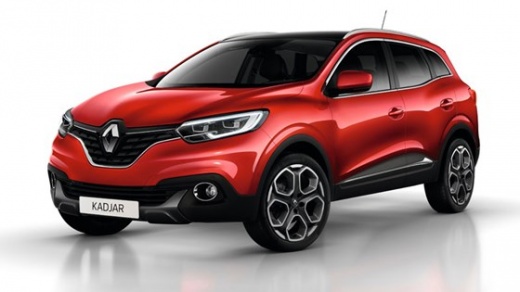
How to Reset the AdBlue Light on the Renault Kadjar?
Model: Renault Kadjar
MK 1
- Years:
2015, 2016, 2017, 2018, 2019, 2020, 2021, 2022
Video tutorial
To reset the AdBlue light on the Renault Kadjar, add the necessary amount of additive liquid into the corresponding tank: to do this, open the fuel flap located at the rear of the car. Once the flap is open, unscrew the blue cap and add the required amount of liquid inside; after refilling, close the cap and the flap, ensuring that the light has completely disappeared.
Updated on 6 October 2026 by ScegliAuto
Related tutorials
Renault Kadjar
(2015-2022 /
MK 1)
Today, let's explore the instructions to reset the AdBlue refill warning on the Renault Kadjar. First, turn on the instrument cluster and check the a…

Renault Kadjar
(2015-2022 /
MK 1)
It will be possible to reset the AdBlue warning light on the instrument panel of the Renault Kadjar by topping up the necessary amount of fluid in th…

Renault Kadjar
(2015-2022 /
MK 1)
In this guide we will see the instructions that will allow us to top up the AdBlue liquid of the Renault Kadjar. First of all, we get into the car an…
Other guides you may be interested in |
How to reset the tyre pressure warning light on the Dacia Sandero?
The tyre pressure warning light that appears on the instrument cluster of the Dacia Sandero can be reset by inflating the tyres until they reach the correct pressure value: this value is indicated on the sticker attached to the driver’s door pillar. Once the inflation is complete, navigate through the menu that appears on the instrument cluster to find the option related to the tyres: select this with the OK button, which should then be held down for a few seconds to completely turn off the light. by ScegliAuto More videos
|
For advertising on this site Write to info@scegliauto.com
ScegliAuto is not responsible for any inaccuracy of the data in the lists. To report any inaccuracy or your business (if you own the business in question), please write to info@scegliauto.com
Number of seconds to generate the page: 0.012
(c) ScegliAuto 2026 - info@scegliauto.com - Privacy policy VAT number: IT01247470535 |
