2026-2026 Renault Twingo (Twingo4, Twingoiii, E-Tech)
Tutorial - For model years: 2026
Vehicle Controls and Functions
(4)
Airbag (9)
Speaker (5)
Shocks (4)
Air conditioning (1)
Car stereo (15)
Battery (8)
Air vents (1)
Control arm (1)
Transmission (1)
Spark plugs (4)
Body (9)
Key (14)
Timing belt (4)
V-belt (2)
A/C controls (3)
Onboard computer (3)
Checks and maintenance (28)
Throttle body (1)
Dashboard (4)
Shifter boot (1)
Brake rotors (1)
Rear bench seat (2)
Headlight (10)
Tail light (3)
Fog lights (1)
Diesel particulate filter (1)
Air filter (14)
Cabin air filter (14)
Fuel filter (9)
Diesel fuel filter (3)
Grille (1)
Accessory kit (2)
Light bulb (4)
Headlight bulb (17)
Tail light bulb (4)
Interior dome light bulb (1)
Instrument panel light (2)
License plate light (1)
Handle (1)
Engine (3)
Power window motor (1)
Starter motor (3)
Electric power steering motor (1)
Engine oil (7)
Clock (16)
Door trim panel (4)
Front bumper (3)
Rear bumper (4)
Brake pads (1)
Hydraulic pistons (1)
Tires (2)
Shift knob (6)
Pump (1)
Fuel pump (2)
Power window switch (1)
Instrument cluster (4)
Radiator (1)
Wheel (2)
Fuse box (41)
Seat (8)
Crankshaft position sensor (2)
Door lock (1)
Oxygen sensor (1)
Suspension system (1)
Side mirror (7)
Warning light – error code (12)
Tire pressure warning light (23)
Service warning light (69)
Brake drums and shoes (1)
Fuel cap (1)
Windshield wipers (8)
Valve (1)
Blower motor (14)
Side window (2)
Steering wheel (5)
|
See also:
How to Activate the Disabled TRC on the Toyota Yaris?
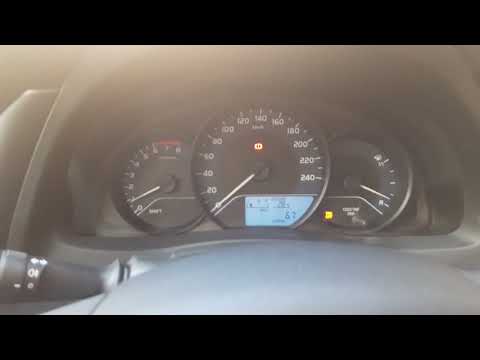
As the video clearly shows, disabling or activating the traction control (TRC or ESP) on the Toyota Yaris is very simple. By default, the traction system activates every time the vehicle is started. To disable it, simply press the button depicting a skidding car located in the centre of the vehicle where the controls are, such as the hazard lights and the radio, but near the handbrake. Once disabled, the TRC off light will illuminate on the dashboard. To reactivate it, just press the same button again.
Watch the video!
by ScegliAuto
More videos
|



