
|
Do it yourself
| |||
| ||||


How to reset the oil service in the Saab 93?
Model: Saab 9 3
MK 2
- Years 2002-2014
After carrying out the service with oil change in the Saab 9-3, the warning light and the relevant kilometer counter must be reset manually. To do this, it is necessary to follow the very simple procedure shown in the attached videotutorial. First, let's turn on the instrument panel but not the engine. In the central console, locate and press the "customize" button, a menu will appear in the central display. With the big knob we scroll down and find the "system settings" item. By pressing the knob we give the ok, scroll down again to the item "service info", enter the section, move to the item "reset service ind." And give the ok.
Posted on 13 November 2021 by ScegliAuto
Video tutorial
Related tutorials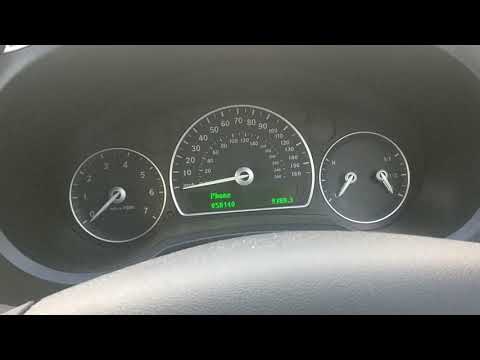
Saab 9 3
(2002-2014 /
MK 2)
To reset the Service light on the Saab 9-3, you need to turn on the instrument panel by turning the key in its ignition block. Once the panel is on, …

Saab 9 3
(2002-2014 /
MK 2)
The Service indicator of the Saab 9 3 can be reset by turning on the instrument panel, turning the ignition key inside its corresponding block: once …

Saab 9 3
(2002-2014 /
MK 2)
Resetting the service light on the Saab 9-3, as shown in this tutorial, is an extremely simple and quick operation. Before proceeding, ensure that al…
Other guides you may be interested in
|
How to Reset the Tyre Pressure Light on BMW 1 Series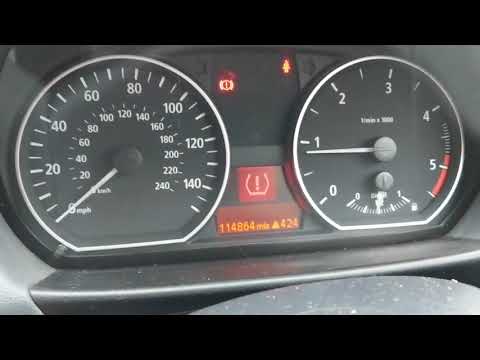
What to do when a warning light appears on the instrument cluster? Here's how to reset the tyre pressure light on a 1 Series. Turn on the instrument cluster, use the buttons on the lever to the left of the steering wheel, then, once in the settings menu, scroll with the up/down button until you find the "Reset Tyres" option, select it using the end of the lever as shown in the video to turn off the tyre pressure warning light and exit the settings menu. Check the instrument cluster by turning it off and back on with the ignition key. Repeat the same procedure for other settings. by ScegliAuto More videos
|
|
For advertising on this site Write to info@scegliauto.com
ScegliAuto is not responsible for any inaccuracy of the data in the lists. To report any inaccuracy or your business (if you own the business in question), please write to info@scegliauto.com
Number of seconds to generate the page: 0.054
(c) ScegliAuto 2026 - info@scegliauto.com - Privacy policy VAT number: IT01247470535 |
