
|
Do it yourself
| |||
| ||||


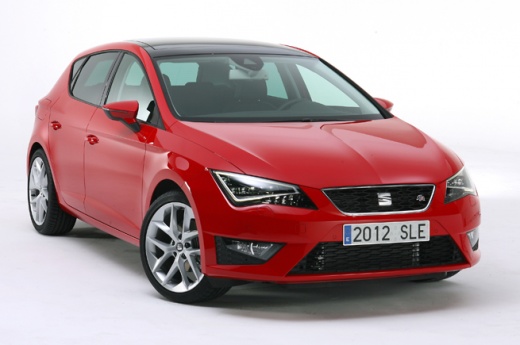
Video tutorial
The following steps will show you how to disassemble and replace the battery of the key fob for the Seat Leon, following the instructions below. First, take your key fob and start by removing the back cover; then, take out the battery found inside, as shown in the video. At this point, install the new battery, ensuring it is the correct type and has the same code; insert it the right way round and finally reattach the back cover of the key fob, then check that all functions are working!
Updated on 23 August 2026 by ScegliAuto
Related tutorials
Seat Leon
(2020-2026 /
KL1, KL8)
Today's information will show us the process of disassembling and replacing the battery of the key remote for the Seat Leon. First, we take our remot…

Seat Leon
(2012-2019 /
5F, MK 3)
These short and simple instructions will guide us through the process of disassembling and replacing the battery of the key remote for the Seat Leon.…

Seat Leon
(2005-2013 /
1P)
The steps to replace the battery of a 2007 Seat Leon remote control are simple and quick to follow independently. The first step is to lift the key f…
Other guides you may be interested in
|
How to reset the tyre pressure warning light on the Dacia Sandero?
The tyre pressure warning light that appears on the instrument cluster of the Dacia Sandero can be reset by inflating the tyres until they reach the correct pressure value: this value is indicated on the sticker attached to the driver’s door pillar. Once the inflation is complete, navigate through the menu that appears on the instrument cluster to find the option related to the tyres: select this with the OK button, which should then be held down for a few seconds to completely turn off the light. by ScegliAuto More videos
|
For advertising on this site Write to info@scegliauto.com
ScegliAuto is not responsible for any inaccuracy of the data in the lists. To report any inaccuracy or your business (if you own the business in question), please write to info@scegliauto.com
Number of seconds to generate the page: 0.130
(c) ScegliAuto 2026 - info@scegliauto.com - Privacy policy VAT number: IT01247470535 |
