
|
Do it yourself
| |||
| ||||



How to Reset the Service Light on a Skoda Karoq
Model: Skoda Karoq
MK 1
- Years:
2017, 2018, 2019, 2020, 2021, 2022, 2023, 2024, 2025, 2026
Video tutorial
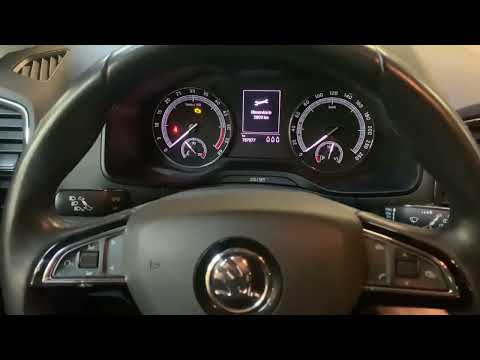
To reset the service light on a Skoda Karoq, turn on the instrument cluster without starting the engine. On versions with a digital instrument cluster, use the controls on the steering wheel to access the driving information screen. Select the range option and hold the OK button for a few seconds until the service menu appears. From the available options, find the Reset inspection or Reset oil change function, depending on the service performed. Select the desired option and confirm the reset by following the instructions displayed. Finally, turn off and turn on the instrument cluster to check that the light has disappeared.
Posted on 28 October 2026 by ScegliAuto
Related tutorials
Skoda Karoq
(2017-2026 /
MK 1)
With the video posted here, you can see how simple it is to DIY reset the service light on a Skoda Karoq. After turning on the instrument panel, pres…
Skoda Karoq
(2017-2026 /
MK 1)
In today's video, learn how to reset the service interval parameter on the Skoda Karoq. First, remember to perform the operation after checking the s…

Skoda Karoq
(2017-2026 /
MK 1)
Here is how we can reset the service light in the Skoda Karoq, the car reviewed in the video presentation uploaded here: after turning on the dashboa…
Other guides you may be interested in
|
How to Remove the Armrest on the Dacia Duster
Today's information will show you the steps to remove and replace the driver's seat armrest on the Dacia Duster. First, access the rear of the vehicle and start lowering the rear hinge of the seat to access the inside of the armrest; then unclip the armrest pin to remove it from the outside, as shown in the video. At this point, carry out the repair or directly replace the entire armrest; secure it properly to the seat and check that it moves up and down without obstruction. by ScegliAuto More videos
|
|
For advertising on this site Write to info@scegliauto.com
ScegliAuto is not responsible for any inaccuracy of the data in the lists. To report any inaccuracy or your business (if you own the business in question), please write to info@scegliauto.com
Number of seconds to generate the page: 0.041
(c) ScegliAuto 2026 - info@scegliauto.com - Privacy policy VAT number: IT01247470535 |
