
|
Do it yourself
| |||
| ||||


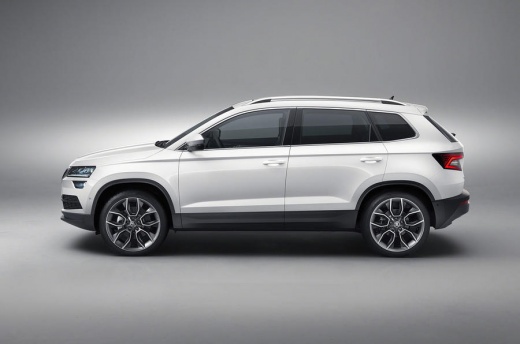
How do you reset the trip meter of the Skoda Karoq?
Model: Skoda Karoq
MK 1
- Years 2017-2026
The function mentioned is undoubtedly an excellent control tool, for example, if we want to be sure of how many kilometers we have traveled to move from one location to another. In the Skoda Karoq, this is feasible, as it is for any other vehicle, so let's learn from the video guide provided here how to do this: with the instrument panel on, we use the buttons on the right side of the steering wheel to access the Settings and select the aforementioned partial mileage, then we hold down the silver Scroll button for a few seconds, and it's done, the kilometers have been reset.
Posted on 18 January 2026 by ScegliAuto
Video tutorial
Related tutorials
Skoda Karoq
(2017-2026 /
MK 1)
Mainly, the resetting mentioned above is useful when you want to effectively check the distance between one place and another, by reading how many ki…

Skoda Karoq
(2017-2026 /
MK 1)
If the devices in our Skoda Karoq have suddenly stopped working, we can first of all check the status of the corresponding fuses whose diagrams are i…

Skoda Karoq
(2017-2026 /
MK 1)
If the devices in our Skoda Karoq have suddenly stopped working, we can first check the status of the corresponding fuses, whose diagrams are indicat…
Other guides you may be interested in
|
How to Open a Stuck Boot on the Peugeot 407?
On the Peugeot 407, the boot may become stuck, possibly due to a problem with the control button or the lock actuator. In such cases, you can perform an emergency opening by following the simple procedure shown in this tutorial. First, open the rear doors, then lower the seat back by operating the release lever. Next, go inside the boot, locate the lock, and manually operate it using a flathead screwdriver. The boot will then be free to open. by ScegliAuto More videos
|
|
For advertising on this site Write to info@scegliauto.com
ScegliAuto is not responsible for any inaccuracy of the data in the lists. To report any inaccuracy or your business (if you own the business in question), please write to info@scegliauto.com
Number of seconds to generate the page: 0.065
(c) ScegliAuto 2026 - info@scegliauto.com - Privacy policy VAT number: IT01247470535 |
