
|
Do it yourself
| |||
| ||||


How do you reset the partial odometer of the Skoda Karoq?
Model: Skoda Karoq
MK 1
- Years 2017-2026
Mainly, the resetting mentioned above is useful when you want to effectively check the distance between one place and another, by reading how many kilometers have actually been traveled upon reaching the destination. Regarding the Skoda Karoq, we see the instrument panel in the video, this is possible by accessing the Settings with the buttons on the right side of the steering wheel, then selecting Driving Data, Trip and holding down the Ok button, waiting for the displayed mileage to be reset. From this moment, the aforementioned odometer will start again from zero, as requested by us.
Posted on 22 August 2025 by ScegliAuto
Video tutorial
Related tutorials
Skoda Karoq
(2017-2026 /
MK 1)
The function mentioned is undoubtedly an excellent control tool, for example, if we want to be sure of how many kilometers we have traveled to move f…

Skoda Karoq
(2017-2026 /
MK 1)
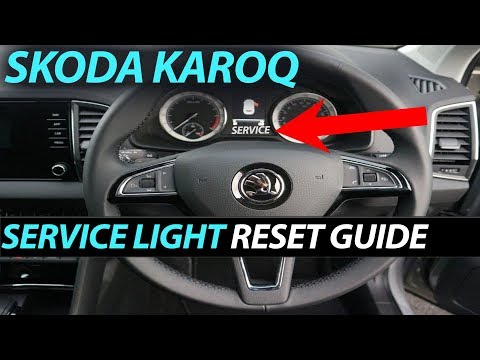
Here is how we can reset the service light in the Skoda Karoq, the car reviewed in the video presentation uploaded here: after turning on the dashboa…
Skoda Karoq
(2017-2026 /
MK 1)
Today, we will see how to reset the service light for the regular maintenance oil change of the Skoda Karoq in simple and quick steps. First, get ins…
Other guides you may be interested in
|
How to Replace the External Wing Mirror on a Ford C MAX
In the event of a breakage, it will be necessary to replace the external wing mirror on the 2011 Ford C MAX. This operation is easily performed independently. Start by removing the internal cover of the mirror with a plastic lever. Then, use a socket wrench to remove the securing pins. Once the pins are removed, you can take off the mirror, but not before disconnecting the power connectors. Then proceed to fit the new mirror. First, connect the connectors and then secure the mirror to its housing with the pins. Refit the plastic cover and test the operation of the electric mirror using the controls. by ScegliAuto More videos
|
|
For advertising on this site Write to info@scegliauto.com
ScegliAuto is not responsible for any inaccuracy of the data in the lists. To report any inaccuracy or your business (if you own the business in question), please write to info@scegliauto.com
Number of seconds to generate the page: 0.070
(c) ScegliAuto 2026 - info@scegliauto.com - Privacy policy VAT number: IT01247470535 |
