
|
Do it yourself
| |||
| ||||


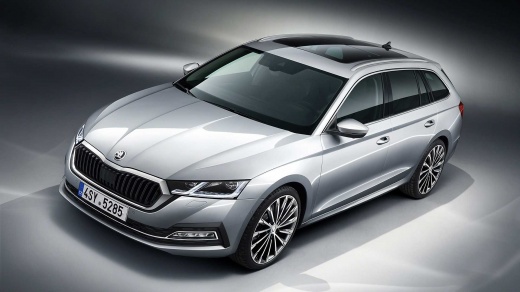
Four Interesting Things to Know About the Skoda Octavia
Model: Skoda Octavia
MK 4, NX
- Years:
2019, 2020, 2021, 2022, 2023, 2024, 2025, 2026
Video tutorial
The Skoda Octavia lives up to its slogan "simply clever". Let’s see how, together with our friendly YouTuber: are we stuck on the road and need to get the high-visibility vest from the boot? No, because Skoda has placed one right under the driver's seat in a dedicated compartment! Lost something in the evening and can’t find it? No worries: the Octavia comes to your aid, as one of the boot lights is removable and becomes a torch you can use to search for what you’ve lost, and it’s also magnetic, sticking to the car body! Third surprise. In the fuel flap, Skoda has included an ice scraper for emergencies. Last little gem. Under the passenger seat, Skoda has also placed an umbrella, complete with a logo!
Updated on 17 August 2026 by ScegliAuto
Related tutorials
Skoda Octavia
(2012-2019 /
5E, MK 3)
If you own a Skoda Octavia Mk3 and want to know how to correctly replace the cabin air filter, just read this guide carefully and put into practice w…

Skoda Octavia
(2012-2019 /
5E, MK 3)
Removing the stock radio from your Skoda Octavia 2015 is very simple, and with the instructions in this mini guide, you will be able to carry out the…

Skoda Octavia
(2004-2012 /
1Z, MK 2)
If the front headlamp bulb on your Skoda Octavia second series (2004-2012) has suddenly stopped working and you want to learn how to replace it, foll…
Other guides you may be interested in
|
How to Activate the Disabled TRC on the Toyota Yaris?
As the video clearly shows, disabling or activating the traction control (TRC or ESP) on the Toyota Yaris is very simple. By default, the traction system activates every time the vehicle is started. To disable it, simply press the button depicting a skidding car located in the centre of the vehicle where the controls are, such as the hazard lights and the radio, but near the handbrake. Once disabled, the TRC off light will illuminate on the dashboard. To reactivate it, just press the same button again. by ScegliAuto More videos
|
|
For advertising on this site Write to info@scegliauto.com
ScegliAuto is not responsible for any inaccuracy of the data in the lists. To report any inaccuracy or your business (if you own the business in question), please write to info@scegliauto.com
Number of seconds to generate the page: 0.028
(c) ScegliAuto 2026 - info@scegliauto.com - Privacy policy VAT number: IT01247470535 |
