
|
Do it yourself
| |||
| ||||


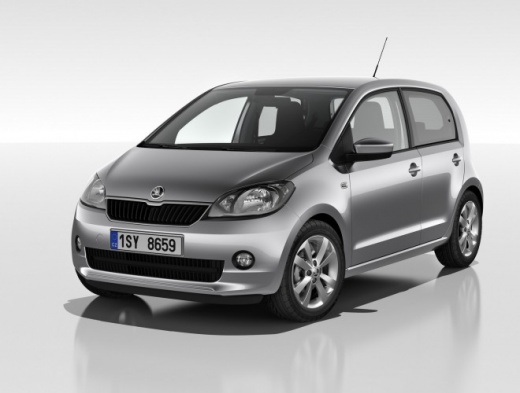
How to set the time on the Skoda Citigo
Model: Skoda Citigo
MK 1
- Years 2011-2020
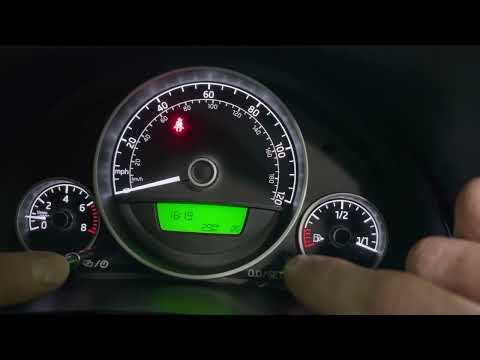
If the wrong time is displayed on the dashboard of your Skoda Citigo and you want to find out how to manually change it, all you have to do is read the following steps carefully and put them into practice. First, insert the key and turn on the dashboard. Immediately after, hold down the button located on the left side of the dashboard for a few seconds and release it as soon as the hour digits start flashing. At this point, use the right button to change the hours. Repeat the same steps for the minutes and you're done.
Posted on 12 December 2023 by ScegliAuto
Video tutorial
Related tutorials
Skoda Citigo
(2011-2020 /
MK 1)
In this tutorial we can see how to adjust the time in the Skoda Citigo, an extremely simple and quick operation, to be done for example after disconn…

Skoda Citigo
(2011-2020 /
MK 1)
If the service light on the instrument panel of your Skoda Citigo continues to stay on constantly, then it is time to discover together how to perfor…
Skoda Citigo
(2011-2020 /
MK 1)
To set the clock on the Škoda Citigo, you need to turn on the instrument panel by turning the key inside the ignition switch. Once the panel is on, y…
Other guides you may be interested in
|
Replacing BMW 2 Series Key Fob Battery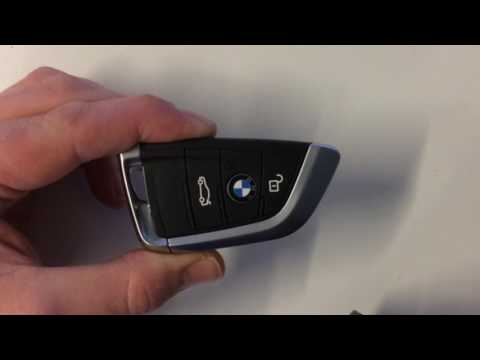
Today, in this short and simple video tutorial, you will learn how to disassemble and replace the battery in the key fob of a BMW 2 Series. First, pull the key out of the fob; then insert it into the slot to pry it open into two parts. At this point, remove the cover of the fob and access the battery: use something sharp to pry it out and replace it with a new one of the correct type (usually a 2025 or 2032). Remember to insert it in the correct direction and then reassemble the cover with the key! by ScegliAuto More videos
|
|
For advertising on this site Write to info@scegliauto.com
ScegliAuto is not responsible for any inaccuracy of the data in the lists. To report any inaccuracy or your business (if you own the business in question), please write to info@scegliauto.com
Number of seconds to generate the page: 0.130
(c) ScegliAuto 2026 - info@scegliauto.com - Privacy policy VAT number: IT01247470535 |
