
|
Do it yourself
| |||
| ||||


How to reset the "Service" light on a Smart ForTwo?
Model: Smart Smart
453
- Years 2014-2022
Good morning, today I will guide you through the process of resetting the partial trip on your Smart ForTwo. To begin, let's carefully enter the car. Then, we will need to turn on the instrument panel. Once that is done, using the buttons on the steering wheel, we will need to enter the settings menu. Let's proceed by looking for the maintenance reset menu. At this point, we will need to press and hold the reset button until the light turns off. Once the button is released, we will have successfully completed the reset of the "Service" light on our Smart ForTwo.
Posted on 18 October 2024 by ScegliAuto
Video tutorial
Related tutorials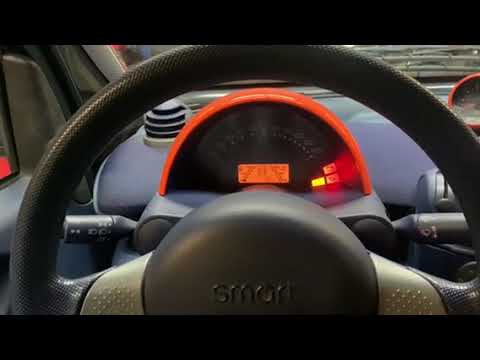
Smart
(1998-2007 /
450)
To reset the Service light on the Smart Fortwo, you need to press and hold the button located on the rear right side of the instrument panel while it…
Smart
(2007-2015 /
451)
Let's discover step by step instructions on how to reset the service indicator for regular maintenance of the Smart Fortwo's engine oil change. First…

Smart
(2014-2022 /
453)
In this new guide aimed at those of you who own a 2014 Smart Fortwo, we will discover how to manually reset the service light that continues to remai…
Other guides you may be interested in
|
How to Remove the Air Vents on Mercedes SLK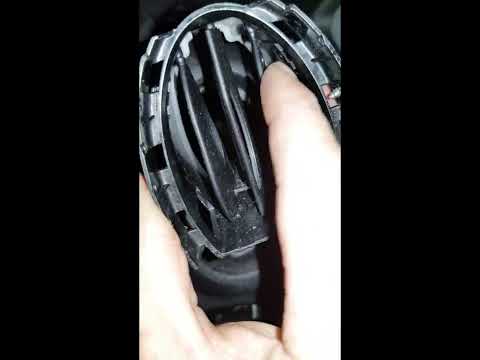
Learn how to remove the air vents on a Mercedes SLK. In this video, see how to proceed with the removal: using plastic levers, remove the cover located on the air vent at the side of the dashboard until it detaches. Finally, remove the air vent from the dashboard as shown in the video. To reassemble the various removed parts, reverse the disassembly steps. Perform the same operation to remove the vent located on the opposite side of the removed vent. by ScegliAuto More videos
|

|
For advertising on this site Write to info@scegliauto.com
ScegliAuto is not responsible for any inaccuracy of the data in the lists. To report any inaccuracy or your business (if you own the business in question), please write to info@scegliauto.com
Number of seconds to generate the page: 0.082
(c) ScegliAuto 2026 - info@scegliauto.com - Privacy policy VAT number: IT01247470535 |
