
|
Do it yourself
| |||
| ||||


How to reset the "Service" indicator on a Smart ForFour?
Model: Smart Forfour
MK 2, W453
- Years 2014-2021
To reset the "Service" light on a Smart ForFour, start by turning on the instrument panel without starting the engine. Use the buttons on the steering wheel to navigate through the settings menu of the onboard computer. Once in the menu, look for the option related to maintenance or service. Select this option and follow the instructions displayed on the screen to start the reset procedure. During the process, you may need to confirm the operation or hold down a specific button until the reset is complete. This procedure will ensure that the service light is properly reset, keeping the vehicle's maintenance system up to date.
Posted on 12 March 2025 by ScegliAuto
Video tutorial
Related tutorials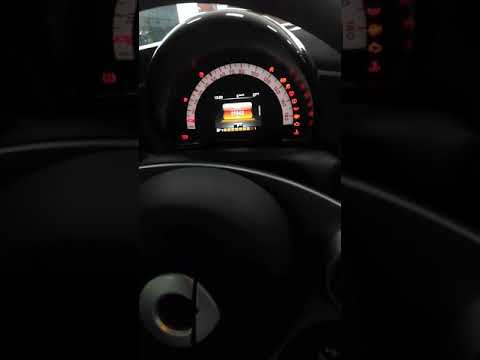
Smart Forfour
(2014-2021 /
MK 2, W453)
To reset the Service light on the Smart Forfour, you need to turn on the instrument panel and then scroll through the menu on the instrument panel us…

Smart Forfour
(2014-2021 /
MK 2, W453)
You can completely turn off the Service light on the instrument cluster of the Smart Forfour by switching on the ignition and then navigating through…

Smart Forfour
(2014-2021 /
MK 2, W453)
You can completely remove the Service light from the instrument panel of the Smart Forfour by turning on the instrument panel and then scrolling thro…
Other guides you may be interested in
|
How to Remove the Gear Knob on an Opel Astra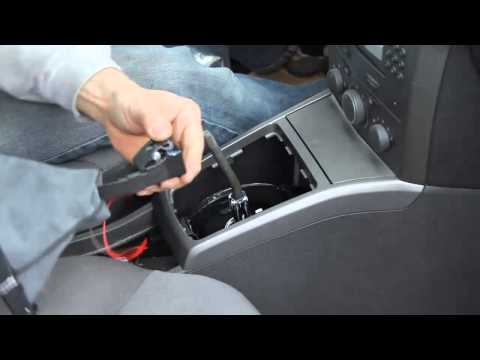
How to replace the gear knob on an Opel Astra? Follow these steps: use a plastic lever to disconnect the leather gaiter frame (if you need to replace it). Grip the knob with both hands and pull it upwards (with a strong and decisive motion) until it comes off the gear stick. For installation: fit the new gaiter and position it on the centre tunnel, take the new knob and push it onto the stick, tightening it until fully threaded. Test the movement of the stick on the centre tunnel to ensure the knob is correctly fitted. by ScegliAuto More videos
|
|
For advertising on this site Write to info@scegliauto.com
ScegliAuto is not responsible for any inaccuracy of the data in the lists. To report any inaccuracy or your business (if you own the business in question), please write to info@scegliauto.com
Number of seconds to generate the page: 0.073
(c) ScegliAuto 2026 - info@scegliauto.com - Privacy policy VAT number: IT01247470535 |
