
|
Do it yourself
| |||
| ||||


How to reset the service light on the Smart ForTwo?
Model: Smart Smart
453
- Years 2014-2022
In this tutorial, we can see how to reset the service in the Smart ForTwo, an extremely simple and quick operation, to be done only once all scheduled maintenance tasks have been completed. Let's start by going inside the car, then insert the key and turn on the instrument panel. Then, scroll through the various screens on the display using the directional arrows on the steering wheel, reach the service interval and hold down the "OK" button for about 40 seconds, or until the service is reset properly.
Posted on 30 May 2025 by ScegliAuto
Video tutorial
Related tutorials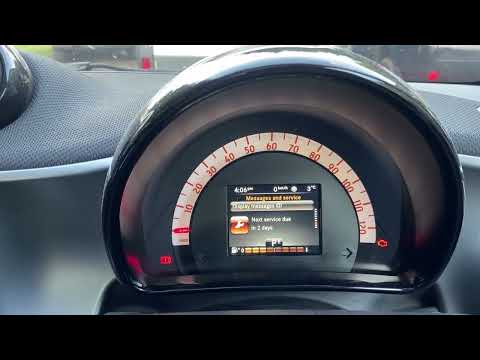
Smart
(2014-2022 /
453)
In this tutorial, we can see how to reset the service in the Smart ForTwo, an extremely simple and fast operation to be carried out only after comple…

Smart
(2007-2015 /
451)
In this tutorial we can see how to reset the service in the Smart ForTwo, an extremely simple and fast operation, to be carried out only once all sch…

Smart
(2014-2022 /
453)
In this tutorial we can see how to reset the service in the Smart ForTwo, an extremely simple and quick operation, to be carried out only once all sc…
Other guides you may be interested in
|
How to Remove the CV Boot on Fiat Panda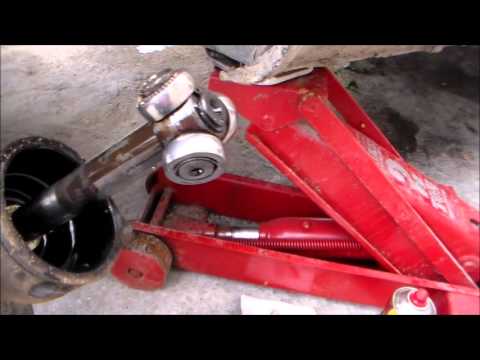
Let’s see how to remove the boot from the joint on a Fiat Panda. After positioning your car on a column lift: raise it to a comfortable height to work on, loosen the wheel nuts (using a socket wrench or air drill) and remove the wheel. Begin unscrewing the brake disc bolts with a socket wrench. Remove the bolts located under the disc and completely detach the wheel hub. Pull the arm around the joint with your hands. Fit the new boot (after removing the old one) onto the constant velocity joint, then start reassembling all the parts in reverse order. by ScegliAuto More videos
|

|
For advertising on this site Write to info@scegliauto.com
ScegliAuto is not responsible for any inaccuracy of the data in the lists. To report any inaccuracy or your business (if you own the business in question), please write to info@scegliauto.com
Number of seconds to generate the page: 0.158
(c) ScegliAuto 2026 - info@scegliauto.com - Privacy policy VAT number: IT01247470535 |
