
|
Do it yourself
| |||
| ||||


How to change the time on Smart Fortwo
Model: Smart Smart
451
- Years 2007-2015
To set the time on your Smart Fortwo, follow these steps. Turn on the instrument panel with the ignition key. Press the top button on the windshield wiper lever repeatedly until the word "SET" appears on the display. Hold down the "OK" button until the hour starts flashing. Use the top button to scroll through the numbers and set the desired time. Press the "OK" button once again to save the setting. Try turning off and on again as a final check to ensure that the time has been saved on your Smart's display. See you soon for another tutorial!
Posted on 3 May 2024 by ScegliAuto
Video tutorial
Related tutorials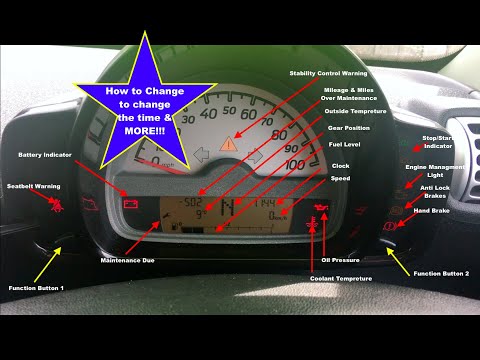
Smart
(1998-2007 /
450)
Today we will see how to adjust the time and date of a Smart Fortwo first series; the operation is very simple and does not require the use of any to…

Smart
(2007-2015 /
451)
These short and simple steps will allow us to change the time on the display of the Smart Fortwo instrument panel. First, we get into the car and sta…
Smart
(2014-2022 /
453)
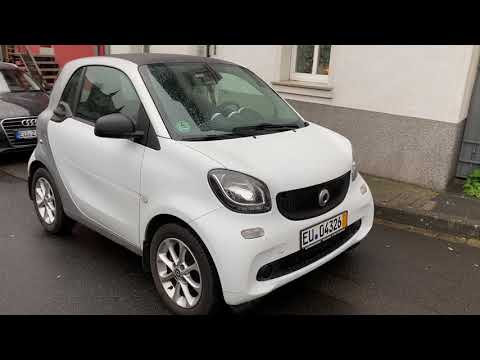
To change the time in the Smart Fortwo 453 display, we need the two buttons located at the end of the right lever of the steering wheel, that is the …
Other guides you may be interested in
|
How to Remove the Steering Wheel Airbag on a Fiat Panda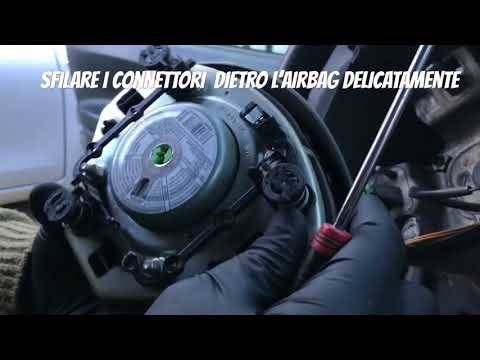
How to remove the steering wheel airbag on a Fiat Panda? Before removing the car's steering wheel, disconnect the battery terminals located in the engine bay. Here's how to proceed with the removal: remove the inspection caps at the back of the steering wheel (if present), then unscrew the screws/fasteners of the steering wheel cover (where the airbag is located) using a socket wrench or screwdriver. Once the airbag is released (driver's side), disconnect the power connectors and remove it from the steering wheel. For reassembly of the airbag: connect the power connectors and fit the airbag with the screws. by ScegliAuto More videos
|

|
For advertising on this site Write to info@scegliauto.com
ScegliAuto is not responsible for any inaccuracy of the data in the lists. To report any inaccuracy or your business (if you own the business in question), please write to info@scegliauto.com
Number of seconds to generate the page: 0.105
(c) ScegliAuto 2026 - info@scegliauto.com - Privacy policy VAT number: IT01247470535 |
