
|
Do it yourself
| |||
| ||||


Tire pressure reset on a Smart Fortwo
Model: Smart Smart
453
- Years 2014-2022
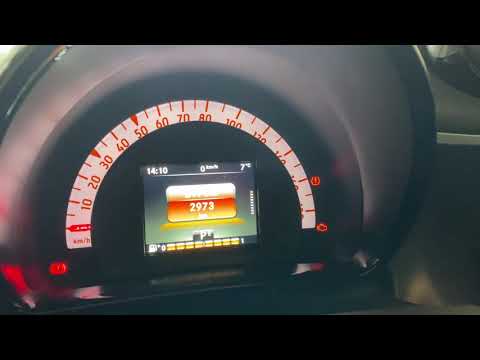
Thanks to this very short and useful video tutorial today you will be able to see how to reset the tire pressure warning light on your Smart 453 ForTwo, model produced from 2014 to 2022, using the left steering wheel keypad. Very well, first of all turn on the car's ignition to turn on the dashboard, then start pressing the arrow down button to scroll through the information display screens until you reach "change settings" and select it with the "OK" button. Once you have done that, select the "tire pressure monitoring" option and finally confirm to store the new tire pressure.
Posted on 15 August 2024 by ScegliAuto
Video tutorial
Related tutorials
Smart
(2014-2022 /
453)
Briefly, we will see the instructions on how to reset the tire pressure warning light on the Smart Fortwo. Before resetting the TPMS sensors, it is n…

Smart
(2014-2022 /
453)
Today we will discover how to reset the tire pressure warning of the Smart Fortwo; before resetting the TPMS sensors, it is necessary that all four t…
Smart
(2014-2022 /
453)
This short video will teach us how to reset the tire pressure warning light in a Smart Fortwo. Turning on of the aforementioned warning light indicat…
Other guides you may be interested in
|
How to Remove the Right Front Door Panel on an Opel Mokka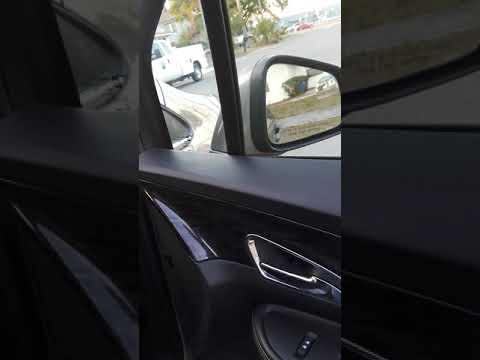
To remove the right front door panel on an Opel Mokka, follow these steps: disconnect the battery terminals located in the engine bay, then use a screwdriver to remove the screws from the upper door opening lever and the screws in the handle. Next, remove the covering plastic near the lever. Unscrew the remaining screws on the door panel and detach the retaining clips. Finally, pull the panel away with your hands and unclip it from the door (disconnect the power wiring and the release cable). Reassemble everything in reverse order. by ScegliAuto More videos
|

|
For advertising on this site Write to info@scegliauto.com
ScegliAuto is not responsible for any inaccuracy of the data in the lists. To report any inaccuracy or your business (if you own the business in question), please write to info@scegliauto.com
Number of seconds to generate the page: 0.123
(c) ScegliAuto 2026 - info@scegliauto.com - Privacy policy VAT number: IT01247470535 |
