
|
Do it yourself
| |||
| ||||


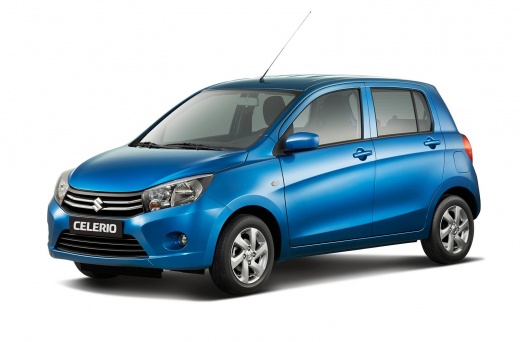
Replacing the lambda sensor on the Suzuki Celerio
Model: Suzuki Celerio
MK 2
- Years:
2014, 2015, 2016, 2017, 2018, 2019, 2020, 2021, 2022, 2023
Video tutorial
Let's see how to replace the lambda sensor on the Suzuki Celerio: The engine light was on, and the code P0037 indicated a fault in the heating circuit of the sensor. We identified the sensor as faulty from a visual inspection and a diagnostic attempt by disconnecting the connector. To remove the old sensor, it was necessary to cut it and use an extractor as it was rusted. We had to clean the thread, apply anti-seize compound, and install a new sensor, which we sourced from Ali Express with code 1005006844970410 at a price of £30.59, with free delivery. After installation, it was necessary to clear the error code from the ECU.
Posted on 2 July 2026 by ScegliAuto
Related tutorials
Suzuki Celerio
(2014-2023 /
MK 2)
In this new mini guide dedicated to the Suzuki Celerio, we will discover where the fuse box is located. This is a very important operation, especiall…
Suzuki Celerio
(2014-2023 /
MK 2)
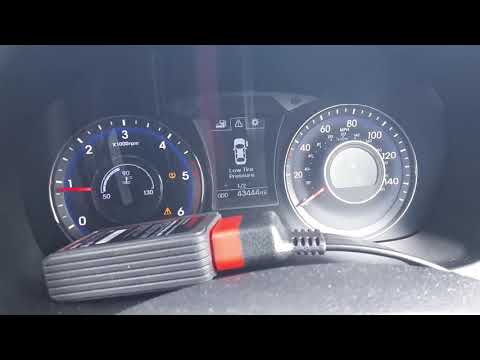
In this video, we show you how the TPMS monitoring system works on the Suzuki Celerio. To start, ensure you inflate each tyre to the pressure specifi…

Suzuki Celerio
(2008-2014 /
MK 1)
Replacing the battery inside your Suzuki Celerio key (2008-2014) is a simple task that anyone can do by following the steps in this guide. First, obt…
Other guides you may be interested in
|
How to Set the Time in an Audi A4?
In this tutorial, you will see how to set the time in an Audi A4, a very simple and quick operation to perform after replacing the battery or when the time changes. First, insert the key and turn on the instrument cluster. Then, press the "SETUP" button located on the center console. Next, press the upper left arrow button, navigate to the "Time" option, and use the central knob to adjust the clock. Finally, set any necessary formats and save by returning to the main screen. by ScegliAuto More videos
|
|
For advertising on this site Write to info@scegliauto.com
ScegliAuto is not responsible for any inaccuracy of the data in the lists. To report any inaccuracy or your business (if you own the business in question), please write to info@scegliauto.com
Number of seconds to generate the page: 0.019
(c) ScegliAuto 2026 - info@scegliauto.com - Privacy policy VAT number: IT01247470535 |
