
|
Do it yourself
| |||
| ||||


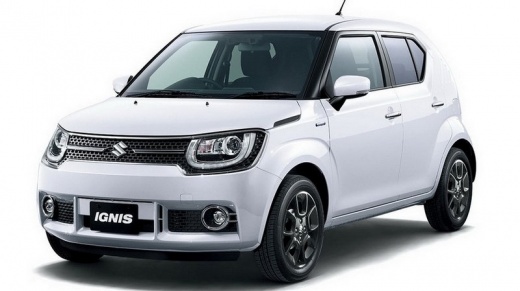
How to Set the Time on the Suzuki Ignis
Model: Suzuki Ignis
- Years:
2016, 2017, 2018, 2019, 2020, 2021, 2022, 2023, 2024
Video tutorial
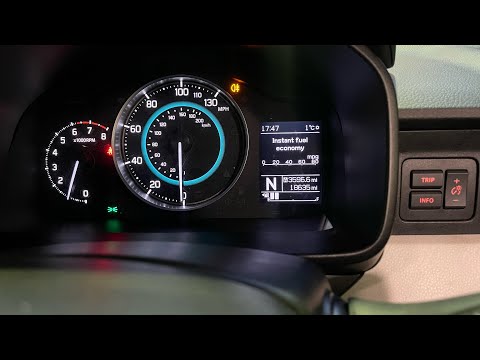
The following instructions will allow you to change the time on the display of the instrument cluster of the Suzuki Ignis in simple steps. First, get into the vehicle and turn on the instrument cluster; then go to the settings of the onboard computer using the side buttons, selecting the clock option as shown in the video. At this point, modify the hour and minutes, changing the time format and date if necessary; exit the time settings to save the changes made.
Posted on 18 November 2026 by ScegliAuto
Related tutorials
Suzuki Ignis
(2016-2024 /
MK 3)
In a few simple steps, we will see how to adjust the time on the display of the instrument panel of the Suzuki Ignis. First, we get into the car and …

Suzuki Ignis
(2016-2024 /
MK 3)
These short and simple instructions will show us how to set the time on the display of the instrument panel of the Suzuki Ignis. First, we get into t…
Suzuki Ignis
(2016-2024 /
MK 3)
In this tutorial, you will learn how to set the time in a Suzuki Ignis, a very simple and quick operation to perform after changing to or from daylig…
ScegliAuto offers an extensive international collection of automotive tutorials available in 12 languages. Each guide combines instructional videos with original explanations written by experienced human editors, along with information about the car models covered.
Other guides you may be interested in
|
How to Replace the Thermostat on a Fiat Panda 169
This video outlines all the necessary steps to replace the thermostat on a Fiat Panda 169, including how to replace the temperature sensor. By following the steps in this video, you can replace the faulty thermostat on your Fiat Panda yourself, saving on labour costs charged by a garage. This job will require some time and specific tools to disassemble and reassemble everything attached to the thermostat to replace it without causing damage to the vehicle. by ScegliAuto More videos
|
|
For advertising on this site Write to info@scegliauto.com
ScegliAuto is not responsible for any inaccuracy of the data in the lists. To report any inaccuracy or your business (if you own the business in question), please write to info@scegliauto.com
Number of seconds to generate the page: 0.069
(c) ScegliAuto 2026 - info@scegliauto.com - Privacy policy - About us VAT number: IT01247470535 |
