
|
Do it yourself
| |||
| ||||


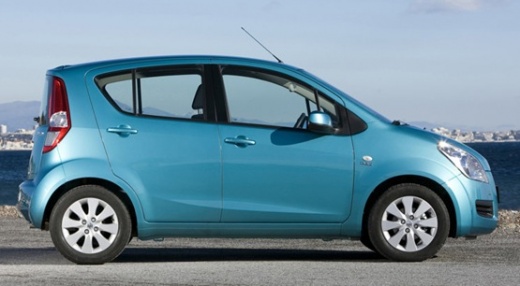
How to Reset the Service Light on a Suzuki Lapin
Model: Suzuki Splash
MK 1
- Years:
2008, 2009, 2010, 2011, 2012, 2013, 2014, 2015
Video tutorial
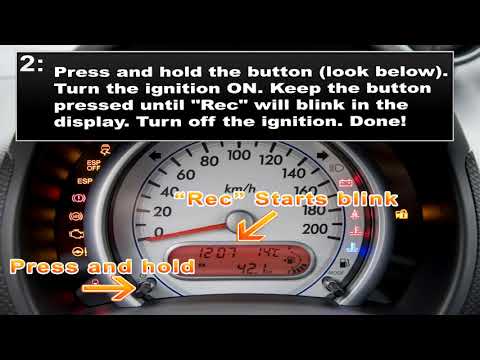
In this tutorial, you will see how to reset the maintenance light on a Suzuki Splash by following simple steps: first, perform maintenance on the vehicle, such as changing the engine oil and filter. After completing the DIY service, get in the car and engage the handbrake. With the ignition off, use the button located under the speedometer on the left; press and hold it, then turn on the ignition. Continue to hold the button until it starts flashing on the display, then release the button and turn the ignition back on. Now you should see that the service light remains off. Reset complete.
Updated on 22 May 2026 by ScegliAuto
Related tutorials
Suzuki Splash
(2008-2015 /
MK 1)
To reset the Service light on the Suzuki Splash, turn on the instrument cluster by inserting the ignition key into the ignition switch. Once the clus…
Suzuki Splash
(2008-2015 /
MK 1)
To reset the Service light on a Suzuki Splash, turn the key to the 'on' position to activate the instrument cluster. Then, press and hold the button …
Suzuki Splash
(2008-2015 /
MK 1)
The steps to reset the service light on a Suzuki Splash are few and quite simple. The video shows how to perform them. Get into the vehicle, insert t…
Other guides you may be interested in
|
How to Set the Clock on a Fiat Scudo
Setting the time on a Fiat Scudo is a simple and quick operation. First, turn on the vehicle's onboard computer and then press the SET button located on the dashboard. The settings menu will appear on the display; press the "+" button to select the "TIME" option using the "SET" button. Once in the clock menu, you can choose the format and adjust the hours and minutes by pressing the "+", "-" and "SET" buttons. When finished, return to the main menu and then turn off the ignition to complete the reset. by ScegliAuto More videos
|
For advertising on this site Write to info@scegliauto.com
ScegliAuto is not responsible for any inaccuracy of the data in the lists. To report any inaccuracy or your business (if you own the business in question), please write to info@scegliauto.com
Number of seconds to generate the page: 0.075
(c) ScegliAuto 2026 - info@scegliauto.com - Privacy policy VAT number: IT01247470535 |
