
|
Do it yourself
| |||
| ||||


Model: Sym Maxsym 600
In this video tutorial, we will see how to change the engine oil of a Sym Maxsym 600cc in simple steps. First, place the central stand on your scooter; then remove the oil drain bolt located at the bottom, in the centre of the engine, using a socket wrench: at this point, let all the oil drain into a container and remove the filler cap to allow it to flow out more quickly. Now insert the new engine oil of the correct type into the designated hole and fill it to the maximum level, as shown in the video!
Updated on 5 April 2026 by ScegliAuto
Video tutorial
Related tutorials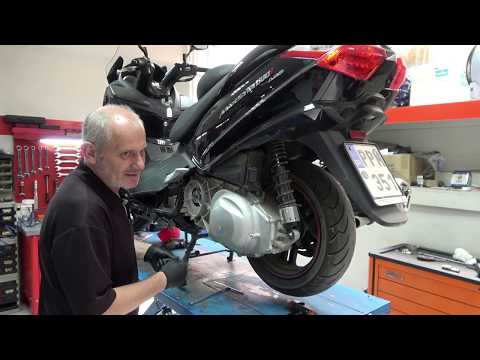
Maxsym 600
To replace the belt on the Sym MaxSym 600, you need to loosen the bolts securing the cover near the rear wheel on the left side of the bike. Once the…

Maxsym 600
To replace the spark plug on the Sym MaxSym 600, lift the seat to access the under-seat compartment. Remove the plastic cover by unscrewing the screw…

Maxsym 600
To remove the windscreen of the Sym MaxSYM 600i, you need to loosen the bolts located at the bottom of the windscreen, behind the plastic cover. This…
|
How to Change the Engine Oil on a Beta RR 125?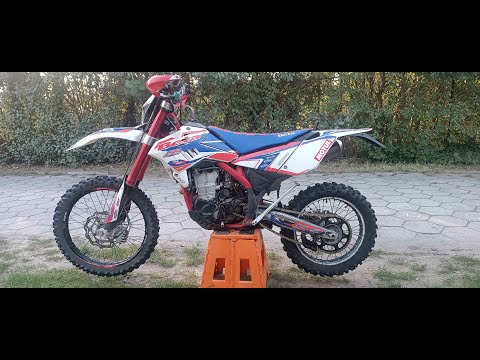
To change the engine oil on a Beta RR 125, loosen the drain plug located at the bottom centre of the bike. Once removed, collect all the used oil in a suitably positioned container. After the oil has completely drained, remove the oil filter next to the drain plug to replace it with a new part. Now, refill by adding the necessary amount of oil through the hole on the right side of the engine casing. by ScegliAuto More videos
|
|
For advertising on this site Write to info@scegliauto.com
ScegliAuto is not responsible for any inaccuracy of the data in the lists. To report any inaccuracy or your business (if you own the business in question), please write to info@scegliauto.com
Number of seconds to generate the page: 0.722
(c) ScegliAuto 2026 - info@scegliauto.com - Privacy policy VAT number: IT01247470535 |
