
|
Do it yourself
| |||
| ||||


Model: Sym Bonus 110
Use an Allen key to loosen the bolts that secure the pads and a socket wrench to unscrew the two screws that fix the caliper to the brake disc. Remove the caliper from its seat and further unscrew the two screws related to the pads until they are completely removed (they are quite long). Extract the pads from the caliper and expand the pistons that hold them before inserting the new pads, which will obviously be much thicker than the ones removed. Proceed in reverse to reassemble the caliper and mount it back onto the disc. As you can see, this is a relatively simple operation.
Updated on 3 May 2026 by ScegliAuto
Video tutorial
Related tutorials
Bonus 110
Today, I will show you how to replace the front brake pads on a Sym Bonus 110. First, unscrew the two bolts that secure the brake caliper to the disc…
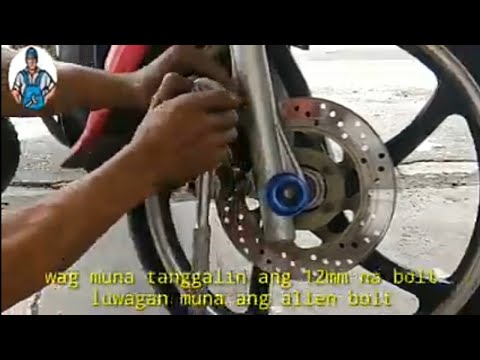
Bonus 110
To replace the front brake pads on a Sym Bonus 110, loosen the screws that secure the caliper to its housing at the back of the disc. Once this screw…
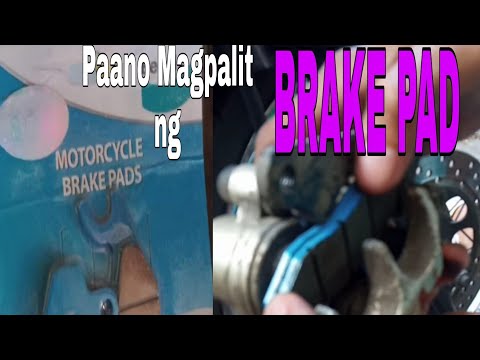
Bonus 110
In this tutorial, you will see how to replace the front brake pads on the SYM Bonus 110 scooter, a very simple and quick operation. First, position y…
|
How to Set the Time on a Piaggio Medley 125
In this video, you will see the dashboard of the Piaggio Medley 125 clearly. The time display is located at the top right of the easy-to-read instrumentation, and changing the time is very simple. On the right, you have the "set" button. Press and hold it for five seconds. When the time starts to flash, just like on a common digital clock, you can modify the hours first, then the minutes, by pressing the button. Holding the "set" button will make the numbers scroll faster. To verify, simply turn off the ignition and then turn it back on to check that the change has been successful. by ScegliAuto More videos
|
|
For advertising on this site Write to info@scegliauto.com
ScegliAuto is not responsible for any inaccuracy of the data in the lists. To report any inaccuracy or your business (if you own the business in question), please write to info@scegliauto.com
Number of seconds to generate the page: 0.006
(c) ScegliAuto 2026 - info@scegliauto.com - Privacy policy VAT number: IT01247470535 |
