
|
Do it yourself
| |||
| ||||


|
Model: Sym Symphony St 200i
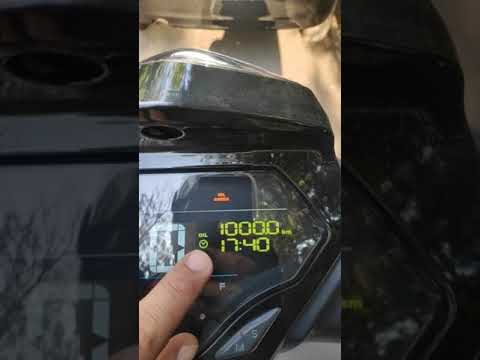
If the orange oil light on the central panel of your Sym Jet 200i continues to turn on even though you have recently changed the oil, then you just need to follow the following procedure to manually reset the light. First of all, turn on the panel and press the button on the right several times until the total kilometers traveled are displayed on the screen. At this point, hold down both panel buttons and wait for the oil light reset to be completed. Finally, turn off the panel.
Posted on 27 June 2024 by ScegliAuto
Video tutorial
Related tutorials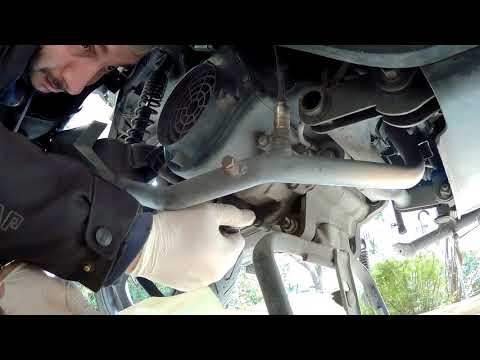
Symphony St 200i
In this video tutorial we will see instructions on how to change the engine oil of a Sym Symphony ST 200i. First we position our scooter with the cen…
Symphony St 200i
To reset the Sym Symphony ST 200i Oil Check warning light, press the M button located under the instrument panel display, next to the button with the…

Symphony St 200i
Let's see in this video how to change the gear oil or transmission oil on a Sym Symphony ST 200i scooter, following the instructions below. First we …
|
Removing Fuel Tank Triumph Bonneville
In today's guide, you will see how to remove the fuel tank of a 2012 Triumph Bonneville in simple steps! First, remove the seat of your motorcycle by taking out the lower screw: then unscrew the tank screws and lift it slightly. At this point, disconnect the fuel line by opening the metal clamp located underneath and the electrical connector that indicates the fuel level (disconnect it by pressing the tab). Lift and remove the tank as shown in the video. by ScegliAuto More videos
|
|
For advertising on this site Write to info@scegliauto.com
ScegliAuto is not responsible for any inaccuracy of the data in the lists. To report any inaccuracy or your business (if you own the business in question), please write to info@scegliauto.com
Number of seconds to generate the page: 0.005
(c) ScegliAuto 2026 - info@scegliauto.com - Privacy policy VAT number: IT01247470535 |
