
|
Do it yourself
| |||
| ||||


How to Restore the Cloudy Headlights of a Tata Tigor
Model: Tata Tigor
MK 1
- Years 2017-2024
To restore the headlights of your Tata Tigor, start by masking the edges with painter's tape to avoid damaging the paint. Clean the surface of the headlight thoroughly with a sponge and degreaser. Begin sanding with medium-grit sandpaper while continuously spraying with water. Continue until a white haze forms. Once dry, start sanding again, preferably using a sander, but this time with fine-grit sandpaper. Finally, use a polishing pad on the sander (or a white cloth and elbow grease) to ensure there are no rough spots left.
Updated on 13 July 2026 by ScegliAuto
This video is currently unavailable
Related tutorials
Tata Tigor
(2017-2024 /
MK 1)
In this video tutorial, you will learn how to replace the headlight bulb on the Tata Tigor by following the instructions below. First, open the hood …
Tata Tigor
(2017-2024 /
MK 1)
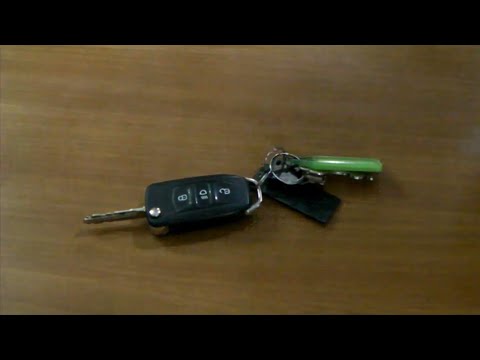
Replacing the remote battery for the Tata Tigor, as shown in this tutorial, is an extremely simple and quick operation. To do this, you will need a r…
Tata Tigor
(2017-2024 /
MK 1)
Replacing the remote battery for the Tata Tigor, as shown in this tutorial, is an extremely simple and quick operation. First, obtain a replacement b…
Other guides you may be interested in
|
How to Open the Bonnet on the Lancia Y
To open the bonnet on this vehicle, follow these simple instructions: first, open the driver's door and locate the lever positioned just below the dashboard, marked with an image of the vehicle with the bonnet open. Pull this lever towards you until you hear a "click" indicating the bonnet is released. Next, exit the cabin and stand in front of the bonnet to disengage the safety catch and complete the opening. To do this, slightly lift the bonnet, locate the yellow lever underneath, and pull it to the left to fully release and open the bonnet. by ScegliAuto More videos
|
|
For advertising on this site Write to info@scegliauto.com
ScegliAuto is not responsible for any inaccuracy of the data in the lists. To report any inaccuracy or your business (if you own the business in question), please write to info@scegliauto.com
Number of seconds to generate the page: 0.518
(c) ScegliAuto 2026 - info@scegliauto.com - Privacy policy VAT number: IT01247470535 |
