
|
Do it yourself
| |||
| ||||


How to activate the all-wheel drive lock function on the Toyota Rav4 MK3
Model: Toyota Rav 4
MK 3, Xa30
- Years 2006-2013
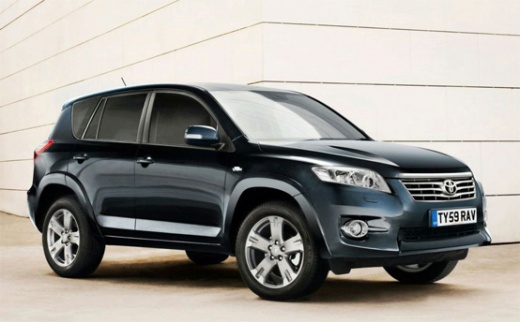
In this video, we will see how to use the four-wheel drive lock button on the Toyota RAV-4 MK3. This button may be necessary when you want to ensure that all four wheels continue to turn even if they are slipping, as they could do if we were stuck in mud. To engage the four-wheel drive lock, make sure the ignition is on, then, without touching the brake pedal, press the button. The four-wheel drive lock indicator will appear on the screen, and the system will send continuous torque to the wheels, both front and rear, as allowed by the system and conditions. The four-wheel drive lock is automatically disengaged by pressing the brakes or if the vehicle speed exceeds 25 miles per hour (about 40 km/h). To deactivate the four-wheel drive lock function, press the dedicated button again.
Posted on 14 April 2025 by ScegliAuto
Video tutorial
Related tutorials
Toyota Rav 4
(2000-2006 /
Xa20, MK 2)
In this video, we see how the locking button for the all-wheel drive works on the Toyota RAV4 MK2. It is necessary to activate this function when we …

Toyota Rav 4
(2013-2018 /
MK 4, Xa40)
In this guide, we will quickly explain how to use the all-wheel drive and how to activate or deactivate it on the Toyota RAV 4. First, get into the c…

Toyota Rav 4
(2013-2018 /
MK 4, Xa40)
Below we will see the instructions that will allow us to activate and deactivate the 4x4 all-wheel drive of the Toyota RAV 4. First of all, we get in…
Other guides you may be interested in
|
Frequently Asked QuestionsHow to Set the Clock on the Opel Zafira
Setting the clock to the current Italian time on an Opel Zafira model B is a very simple operation, also made easier by our short instructional video. The first step is to turn on the instrument panel and then press the SETTING button located on the central dashboard. Once inside the menu, use the buttons to navigate to the clock setting. Adjust the hours and minutes and restart the instrument panel. If the clock does not update, it may be necessary to diagnose the radio or the vehicle's control unit. by ScegliAuto More videos
|
|
For advertising on this site Write to info@scegliauto.com
ScegliAuto is not responsible for any inaccuracy of the data in the lists. To report any inaccuracy or your business (if you own the business in question), please write to info@scegliauto.com
Number of seconds to generate the page: 0.093
(c) ScegliAuto 2026 - info@scegliauto.com - Privacy policy VAT number: IT01247470535 |
