
|
Do it yourself
| |||
| ||||


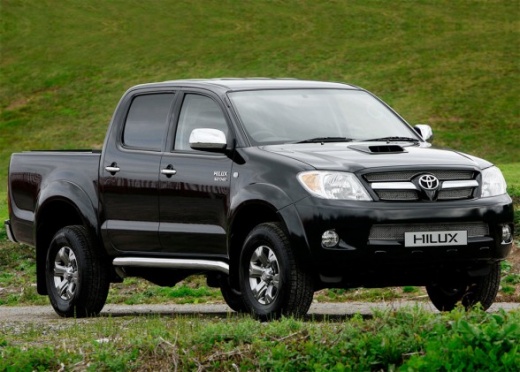
How to Reset the Oil Change Light on a Toyota Hilux
Model: Toyota HiLux
- Years:
2005, 2006, 2007, 2008, 2009, 2010, 2011, 2012, 2013, 2014, 2015
Video tutorial
In this brief tutorial, let's see how to reset the oil change light on a Toyota Hilux, a model produced from 2005 to 2015. First, turn the ignition to the 'on' position. Next, press the trip button on the speedometer until you see the TRIP A screen on the display. Then, turn off the ignition. After that, continue to hold the trip button while you turn the ignition back on. Finally, keep holding the button until the flashing dashes "-----" disappear, as shown in the video.
Posted on 22 October 2026 by ScegliAuto
Related tutorials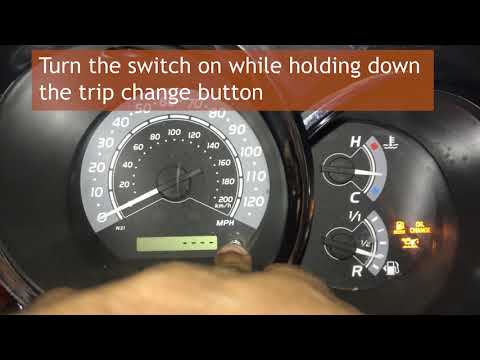
Toyota HiLux
(2005-2015 /
An20, An30, MK 7, An10)
In this tutorial, you will see how to reset the oil service light on a Toyota Hilux, a very simple and quick operation. Before proceeding, make sure …

Toyota HiLux
(2005-2015 /
An20, An30, MK 7, An10)
In this tutorial we can see how to reset the oil service in the Toyota Hilux pick-up, an extremely simple and quick operation, to be carried out only…
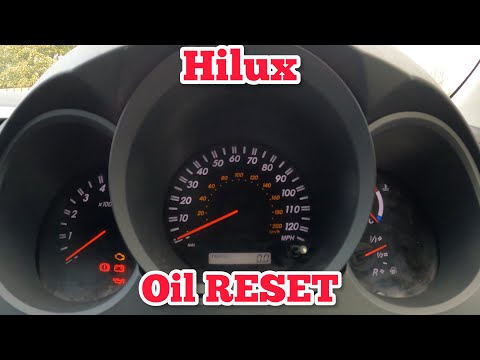
Toyota HiLux
(1997-2005 /
N170, N160, N150, N140)
In this tutorial, you will see how to reset the oil service on a Toyota Hilux pickup, a very simple and quick operation to perform only after complet…
Other guides you may be interested in |
How to Open the Bonnet of the Renault Kangoo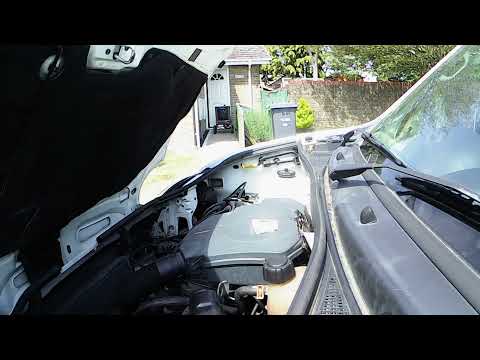
In this video, see how to open the bonnet of a Renault Kangoo and locate the windscreen washer fluid reservoir. The YouTuber had to go to a local garage to achieve this. He mentions going towards the passenger door, as this is a right-hand drive vehicle. Naturally, for left-hand drive vehicles, the door is that of the driver. Pull the lever located on the side towards you to release the bonnet. To open it, lever from the centre of the bonnet outwards, which is somewhat the opposite of how most bonnets open. In front of the driver, on the grille, there is a black rubber cap. Here you can add the washer fluid. by ScegliAuto More videos
|
|
For advertising on this site Write to info@scegliauto.com
ScegliAuto is not responsible for any inaccuracy of the data in the lists. To report any inaccuracy or your business (if you own the business in question), please write to info@scegliauto.com
Number of seconds to generate the page: 0.014
(c) ScegliAuto 2026 - info@scegliauto.com - Privacy policy VAT number: IT01247470535 |
