
|
Do it yourself
| |||
| ||||



How to repair the clock and thermometer on a Toyota Yaris Mk2
Model: Toyota Yaris
Xp90
- Years:
2005, 2006, 2007, 2008, 2009, 2010, 2011
Video tutorial
A common problem on this Toyota Yaris version is that the clock and thermometer on the instrument panel switch off and stop working. This is caused by small components on the instrument panel circuit board burning out. Replace the faulty components with an adjustable mini step-down DC-DC voltage converter set to 1.5 V. The converter is available on eBay under item number 262313504367 for €1.80, plus €3.00 postage. This is not a job for beginners. You need experience with soldering and desoldering components, as well as electronics knowledge. Remove the lower and upper sections of the dashboard. Disconnect the car stereo wiring, remove the screws securing the display glass, then remove the instrument panel. Open the instrument panel by removing the rear screws and releasing the plastic clips. Remove the circuit board and locate the burnt components. Desolder the faulty original components and solder in the mini step-down converter. Connect the red and black power wires to the 12 V supply. Connect the red output wire beneath the clock connector. Refit the circuit board in the instrument panel. Secure the cover with the screws and clips, refit the instrument panel, reconnect the connectors and replace the glass.
Posted on 25 November 2026 by ScegliAuto
Related tutorials
Toyota Yaris
(2005-2011 /
Xp90)
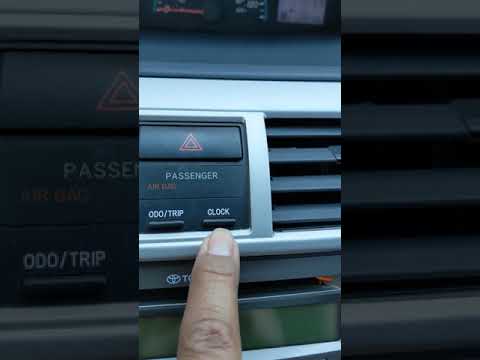
Today, learn how to set the clock on the dashboard of the 2008 Toyota Yaris. When the dashboard clock is set, the clock on the onboard computer or ra…
Toyota Yaris
(2011-2019 /
Xp130)
Today, you will learn how to set the time on a 2012 Toyota Yaris. The first thing to do is turn on the instrument panel, then press the CLOCK button …

Toyota Yaris
(2005-2011 /
Xp90)
To adjust the clock on the Toyota Yaris, turn on the instrument panel by inserting the ignition key into the ignition barrel: once the panel is on, y…
ScegliAuto offers an extensive international collection of automotive tutorials available in 12 languages. Each guide combines instructional videos with original explanations written by experienced human editors, along with information about the car models covered.
Other guides you may be interested in
|
Frequently Asked QuestionsHow do you reset the tyre pressure warning light on a Dacia Sandero?
To switch off the tyre pressure warning light on your Dacia Sandero, inflate the tyres to the recommended pressures. Then get into the car and insert the ignition key to switch on the instrument panel. Use the arrow buttons on the right-hand steering wheel spoke to scroll through the menu. When the tyre menu appears, press and hold the OK button until the warning light goes out. by ScegliAuto More videos
|
|
For advertising on this site Write to info@scegliauto.com
ScegliAuto is not responsible for any inaccuracy of the data in the lists. To report any inaccuracy or your business (if you own the business in question), please write to info@scegliauto.com
Number of seconds to generate the page: 0.081
(c) ScegliAuto 2026 - info@scegliauto.com - Privacy policy - About us VAT number: IT01247470535 |
