
|
Do it yourself
| |||
| ||||


Where is the OBD2 port located in the Toyota Yaris?
Model: Toyota Yaris
Xp10
- Years 1999-2005
In this new guide dedicated to those of you who own a Toyota Yaris first edition, we will explain how you can have free access to the OBD2 port in a few seconds and in total safety. First of all, reach the driver's seat inside the vehicle and then shift your attention to the left side of the dashboard and remove the small plastic cover with your own hands. Next, locate the OBD2 port you were looking for and you're done. From now on, you can connect a diagnostic tool to it and analyze any errors in the ECU.
Posted on 7 January 2025 by ScegliAuto
Video tutorial
Related tutorials
Toyota Yaris
(2005-2011 /
Xp90)
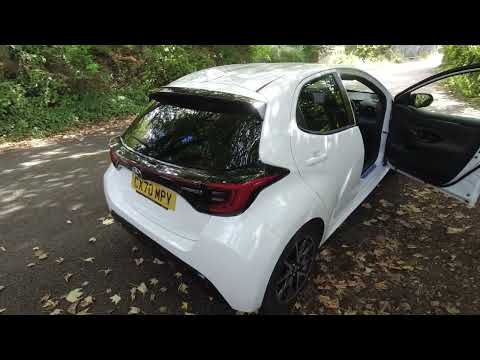
To locate the OBD2 port inside your Toyota Yaris, simply read the following guide and follow the described steps. Start by entering the cabin, then h…
Toyota Yaris
(2020-2026 /
MK 4)
If you own a 2020 Toyota Yaris and want to find the OBD2 port to connect a diagnostic tool for troubleshooting, follow this guide. First, get into th…

Toyota Yaris
(2011-2019 /
Xp130)
The new generation Toyota Yaris features an OBD2 port, which connects the car to a PC for diagnostics in order to reset warning lights such as the se…
Other guides you may be interested in
|
How to reset the tyre pressure warning light on the Dacia Sandero?
To reset the tyre pressure warning light on the Dacia Sandero, inflate all the tyres to the pressure indicated on the label on the driver's door. Once the tyres are inflated, turn on the ignition and navigate through the menu using the controls on the right side of the steering wheel. Scroll with the arrows to find the tyre pressure option: by holding down the OK button located on the right side of the steering wheel, you can reset the warning light. by ScegliAuto More videos
|
|
For advertising on this site Write to info@scegliauto.com
ScegliAuto is not responsible for any inaccuracy of the data in the lists. To report any inaccuracy or your business (if you own the business in question), please write to info@scegliauto.com
Number of seconds to generate the page: 0.942
(c) ScegliAuto 2026 - info@scegliauto.com - Privacy policy VAT number: IT01247470535 |
