
|
Do it yourself
| |||
| ||||


How to Activate Automatic Night Mode on the Toyota Yaris MK2 Dashboard
Model: Toyota Yaris
Xp90
- Years 2005-2011
In this guide, see how to limit the brightness of the dashboard on the Toyota Yaris MK2 to activate automatic night mode: turn on the instrument panel, activate the dipped headlights, then repeatedly press the right button on the dashboard (used to reset the trip meter) until the main odometer appears. Hold the button for 3 to 5 seconds: the display will darken, indicating that night mode is active. Verify by turning off the lights: the display should return to bright; turn the lights back on and the display will automatically darken. To deactivate the function, repeat the procedure to return to fixed brightness. The right button has an additional function: during the day with the lights off, it alternates between km and miles.
Posted on 4 March 2026 by ScegliAuto
Video tutorial
Related tutorials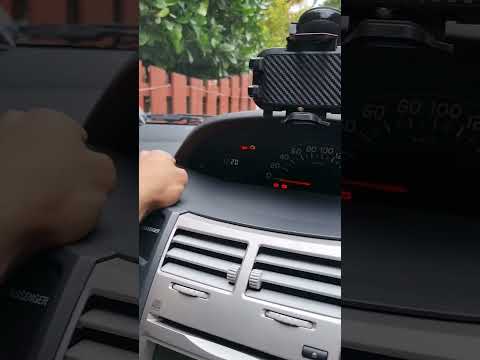
Toyota Yaris
(2005-2011 /
Xp90)
To change the time on a Toyota Yaris, start by turning on the car. Once it's on, look for the "Clock" button on the dashboard. Press this button to a…
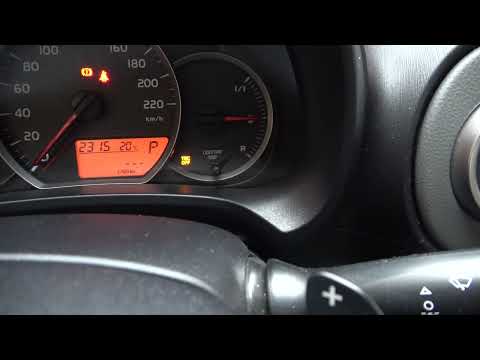
Toyota Yaris
(2011-2019 /
Xp130)
The electronic traction control system integrated into the Toyota Yaris Mk3 performs its function well, but in case of malfunctions or personal needs…

Toyota Yaris
(2011-2019 /
Xp130)
In this tutorial, you will learn how to disable ECO mode in the Toyota Yaris, a very simple and quick operation. This mode disables various vehicle f…
Other guides you may be interested in
|
How to Replace the Cabin Filter on the Opel Grandland X
If you own an Opel Grandland X and want to know the steps to replace the cabin air filter, carefully read the following guide and follow the described steps. First, enter the vehicle and go to the passenger side. Then, locate the box containing the air filter in the lower side area of the dashboard. Remove the cover of the box and finally replace the old filter with the new one. Refit the cover, and you are done. by ScegliAuto More videos
|
|
For advertising on this site Write to info@scegliauto.com
ScegliAuto is not responsible for any inaccuracy of the data in the lists. To report any inaccuracy or your business (if you own the business in question), please write to info@scegliauto.com
Number of seconds to generate the page: 0.080
(c) ScegliAuto 2026 - info@scegliauto.com - Privacy policy VAT number: IT01247470535 |
