
|
Do it yourself
| |||
| ||||



How to Change the Key Battery on Toyota C-HR
Model: Toyota C Hr
MK 1, Ax50, Ax10
- Years:
2016, 2017, 2018, 2019, 2020, 2021, 2022, 2023
Video tutorial
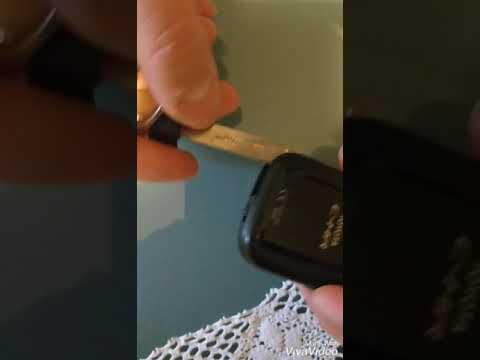
If you need to replace the remote key battery on this Japanese vehicle, you will find the necessary information for the replacement in the description below and in the video. First, remove the emergency key and use it to lever off the rear cover of the remote. Underneath, you will find the compartment containing the battery, which you will remove and replace with a new CR 2032 model. Position the positive terminal facing upwards and finally reattach the rear cover.
Updated on 29 May 2026 by ScegliAuto
Related tutorials
Toyota C Hr
(2023-2026 /
MK 2)
If you are wondering how to replace the battery inside the key of your second-generation Toyota C-HR, all you need to do is read the following guide …

Toyota C Hr
(2016-2023 /
MK 1, Ax50, Ax10)
To change the battery in a Toyota C-HR key, start by extracting the emergency mechanical key. To do this, press the release button located on the sid…
Toyota C Hr
(2016-2023 /
MK 1, Ax50, Ax10)
This short video tutorial shows how to change the battery of the key remote for a Toyota CHR. The operation is very simple and requires no tools. Tak…
ScegliAuto offers an extensive international collection of automotive tutorials available in 12 languages. Each guide combines instructional videos with original explanations written by experienced human editors, along with information about the car models covered.
Other guides you may be interested in
|
How to Manually Adjust the Time on the Kia Sportage 3
In this new guide dedicated to your Kia Sportage third generation (2010-2016), you will learn how to manually change the time displayed on the car's onboard computer. The entire procedure takes just a few seconds. Let's see how. First, enter the cabin and turn on both the ignition and the radio display. Then press the "Setup/Clock" button located on the right side of the radio and use the knob to select the "Clock" option. Finally, select the "Time" option and proceed to adjust the hour and minute digits. by ScegliAuto More videos
|
|
For advertising on this site Write to info@scegliauto.com
ScegliAuto is not responsible for any inaccuracy of the data in the lists. To report any inaccuracy or your business (if you own the business in question), please write to info@scegliauto.com
Number of seconds to generate the page: 0.124
(c) ScegliAuto 2026 - info@scegliauto.com - Privacy policy - About us VAT number: IT01247470535 |
