
|
Do it yourself
| |||
| ||||


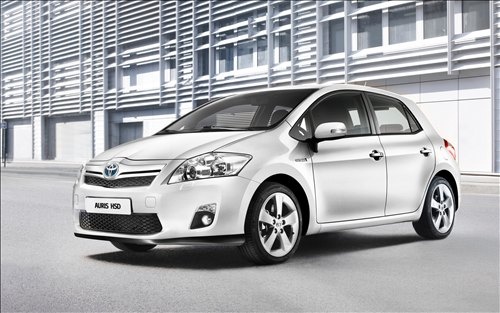
What is the Fuse Diagram for the Toyota Auris?
Model: Toyota Auris
E150
- Years:
2007, 2008, 2009, 2010, 2011, 2012
Video tutorial
If one or more devices in your Toyota Auris suddenly stop working, the first thing to do is check the status of the respective fuses, the diagrams for which are indicated in this video. As shown, the first fuse box is located inside the cabin, specifically in the lower area of the dashboard on the driver's side. The second box is located in the engine compartment, protected by the plastic cover next to the battery. If a fuse is blown, replace it with a spare of the same specifications and always operate with the vehicle turned off.
Updated on 4 July 2026 by ScegliAuto
Related tutorials
Toyota Auris
(2012-2018 /
E180)
This video shows the fuse box diagram for the engine compartment of the Toyota Auris, useful if a device is malfunctioning and you want to check the …

Toyota Auris
(2012-2018 /
E180)
These short and simple instructions will show us the layout and positioning of the external fuses of the Toyota Auris. First of all, we open the hood…

Toyota Auris
(2012-2018 /
E180)
All Toyota vehicles have two fuse boxes inside; today specifically we will see the location of the fuse boxes of the Toyota Auris produced from 2012 …
Other guides you may be interested in
|
How to Activate the Cruise Control on the Toyota Yaris?
To activate the cruise control on the Toyota Yaris, start the engine by turning the key in the ignition switch. Once the engine is running, press the accelerator pedal until you reach the desired speed. Then, press the button on the right side of the steering wheel to activate the cruise control. You can also adjust the cruising speed by lifting the switch to increase it and lowering the switch to decrease it. by ScegliAuto More videos
|
|
For advertising on this site Write to info@scegliauto.com
ScegliAuto is not responsible for any inaccuracy of the data in the lists. To report any inaccuracy or your business (if you own the business in question), please write to info@scegliauto.com
Number of seconds to generate the page: 0.218
(c) ScegliAuto 2026 - info@scegliauto.com - Privacy policy VAT number: IT01247470535 |
