
|
Do it yourself
| |||
| ||||


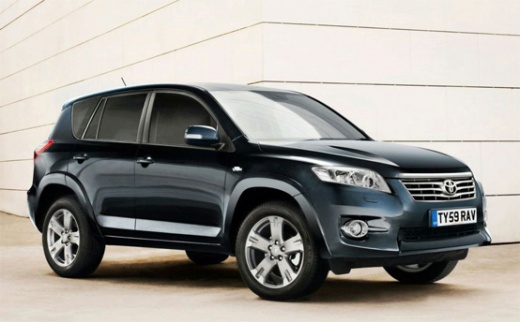
How to Reset the Service Light on a 2007 Toyota RAV4
Model: Toyota Rav 4
MK 3, Xa30
- Years 2006-2013
If you want to postpone the service date for your Toyota RAV4 or if you have just completed it and want to get rid of the warning light, simply follow these steps. First, insert the key, turn it to position one, and switch on the instrument panel. Next, press the menu button several times to display "Trip A" on the mini display. Then, switch off the panel and hold down the "ODO Trip" button located to the left of the speedometer. Switch the panel back on and release the button as soon as the reset is complete.
Updated on 22 July 2026 by ScegliAuto
Video tutorial
Related tutorials
Toyota Rav 4
(2013-2018 /
MK 4, Xa40)
Today's instructions will allow us to reset the service light for the regular maintenance of the engine oil change for the Toyota RAV 4. First, we ge…

Toyota Rav 4
(2006-2013 /
MK 3, Xa30)
Below we will see the information that will allow us to reset the service light for the regular maintenance of the engine oil change for the Toyota R…

Toyota Rav 4
(2013-2018 /
MK 4, Xa40)
Following these brief and simple instructions, we will see how to reset the service maintenance light for the regular oil change on the Toyota RAV 4.…
Other guides you may be interested in
|
Frequently Asked QuestionsHow to Set the Clock on the Opel Zafira
Setting the clock to the current Italian time on an Opel Zafira model B is a very simple operation, also made easier by our short instructional video. The first step is to turn on the instrument panel and then press the SETTING button located on the central dashboard. Once inside the menu, use the buttons to navigate to the clock setting. Adjust the hours and minutes and restart the instrument panel. If the clock does not update, it may be necessary to diagnose the radio or the vehicle's control unit. by ScegliAuto More videos
|
|
For advertising on this site Write to info@scegliauto.com
ScegliAuto is not responsible for any inaccuracy of the data in the lists. To report any inaccuracy or your business (if you own the business in question), please write to info@scegliauto.com
Number of seconds to generate the page: 0.132
(c) ScegliAuto 2026 - info@scegliauto.com - Privacy policy VAT number: IT01247470535 |
