
|
Do it yourself
| |||
| ||||


(Various brands) Microcar - Video guides (Various brands) Microcar The fuses of the microcar MC2, where are they located? The Microcar MC2, which we see in the attached video, offers us the opportunity to consult the fuse boxes present in it, thanks to the wiring diagrams of these …Read all… Posted on 1 January 2026 by ScegliAuto  (Various brands) Microcar What is the fuse diagram for the 2009 Microcar Mgo? The Mgo of 2009, belonging to the Microcar category, presented in the video, is, as usual, equipped with fuses dedicated to the protection of each individual …Read all… Posted on 24 October 2025 by ScegliAuto  (Various brands) Microcar How to set the clock on a Microcar In this video, we see how to set the clock on a Microcar: we need to disconnect the battery so that the clock disconnects, then reconnect it and turn on the …Read all… Posted on 7 September 2025 by ScegliAuto  (Various brands) Microcar The engines of the Ligier JS 50 We know that the Ligier JS 50 - like all microcars - are not cars, but L7e category quadricycles, and they are equipped with small displacement gasoline and …Read all… Posted on 18 July 2025 by ScegliAuto  (Various brands) Microcar How to revise the noisy gearbox of a Microcar In this video we see how to overhaul the gearbox of a Microcar Casalini - but the procedure is the same for all gearboxes of these small cars - which also …Read all… Posted on 19 April 2025 by ScegliAuto 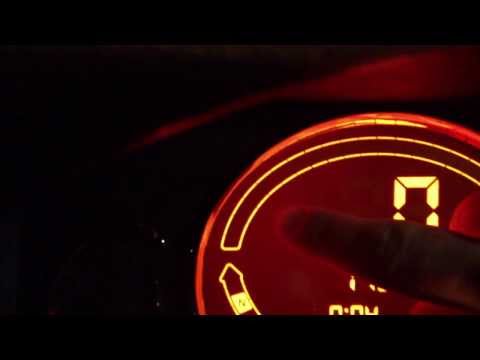 (Various brands) Microcar Reset the Service Light on a Microcar M-8 This guide outlines the main instructions for resetting the service light for the engine oil change on a Microcar M-8. First, get inside the vehicle and ensure …Read all… Posted on 24 September 2026 by ScegliAuto |
See also:
How to Set the Time in an Audi A4?
In this tutorial, you will see how to set the time in an Audi A4, a very simple and quick operation to perform after replacing the battery or when the time changes. First, insert the key and turn on the instrument cluster. Then, press the "SETUP" button located on the center console. Next, press the upper left arrow button, navigate to the "Time" option, and use the central knob to adjust the clock. Finally, set any necessary formats and save by returning to the main screen. by ScegliAuto More videos
|
|
For advertising on this site Write to info@scegliauto.com
ScegliAuto is not responsible for any inaccuracy of the data in the lists. To report any inaccuracy or your business (if you own the business in question), please write to info@scegliauto.com
Number of seconds to generate the page: 0.007
(c) ScegliAuto 2026 - info@scegliauto.com - Privacy policy VAT number: IT01247470535 |
