
|
Do it yourself
| |||
| ||||


How to Replace the Tyre Pressure Sensors on Your Vehicle
Model: (Various brands) Various
Video tutorial
When the tyre pressure warning light activates on a vehicle, it means you need to check the tyre pressures and adjust them using an air compressor and a gauge to set the pressure according to the manufacturer's specifications. There are cases where, despite the pressure being correct, the sensor sends a signal to the ECU indicating the need to adjust the tyre pressure, causing the TPMS light to flash on the dashboard. In these situations, it is necessary to replace the tyre pressure sensor. There are 8 types of sensors, most of which are secured with aluminium screws or rubber clips to the tyre. The sensor must be inserted behind the tyre and connected to the pressure valve. To replace it, you need to remove the tyre.
Posted on 14 August 2026 by ScegliAuto
Related tutorials
(Various brands) Various
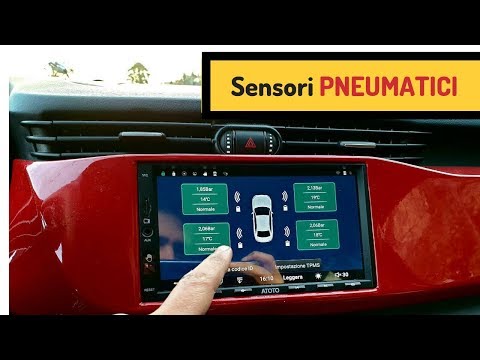
Generally, tire pressure sensors, when talking about recently built cars, are integrated, in terms of their control and programming, into the central…
(Various brands) Various
This video shows how to install a tyre pressure sensor kit on cars that do not come with them as standard. The sensors described in the video can be …

(Various brands) Various
To replace the centre high-level brake light on a car, first open the rear hatch and position yourself centrally. At the top centre of the rear windo…
Other guides you may be interested in
|
How to adjust the handbrake on the Smart Fortwo?
To adjust the handbrake on the Smart Fortwo, loosen the screws securing the left rear wheel so that it can be removed: after the wheel has been removed from its seat, loosen the screws securing the corresponding brake drum, locating the shoes and the handbrake mechanism. This can be adjusted by tightening or loosening the shoes to regulate the intensity of the handbrake; once the adjustment is complete, verify that the operation has been successfully finished. by ScegliAuto More videos
|
|
For advertising on this site Write to info@scegliauto.com
ScegliAuto is not responsible for any inaccuracy of the data in the lists. To report any inaccuracy or your business (if you own the business in question), please write to info@scegliauto.com
Number of seconds to generate the page: 0.019
(c) ScegliAuto 2026 - info@scegliauto.com - Privacy policy VAT number: IT01247470535 |
