
|
Do it yourself
| |||
| ||||


How to Update Your TomTom
Model: (Various brands) Various
As shown in this tutorial, updating your TomTom with the latest available maps is a straightforward process. Start by connecting the device to your PC using the supplied USB cable, then download the archive found in the video description and extract it somewhere on your desktop. Next, copy the three indicated files and paste them into the main root of the TomTom. Run the "FastActivate" executable as an administrator, selecting option number 3 from the 10 available. Finally, check that the procedure has been completed successfully.
Updated on 14 May 2026 by ScegliAuto
This video is currently unavailable
Related tutorials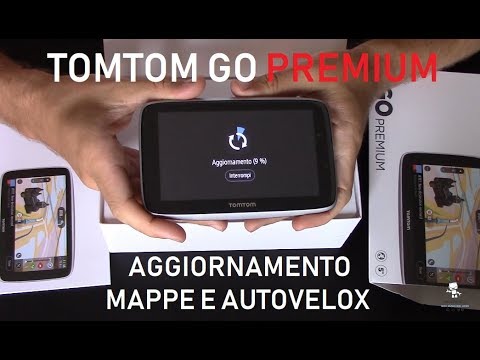
(Various brands) Various
.. In this tutorial, see how to update your TomTom navigator, a very simple operation. The first step is to connect it to your.. …

(Various brands) Various
In this video, we see how to update the Junsun V1 car stereo radio completely: the first thing to do is to activate the WI-FI and hotspot of our smar…

(Various brands) Various
To update the Blue and Me system in your Fiat vehicle, follow the instructions provided in this guide and refer to the video as well. First, search t…
Other guides you may be interested in
|
Frequently Asked QuestionsHow to Bleed the Clutch on a Renault Clio?
To bleed the clutch on a Renault Clio, open the bonnet to access the components located in the engine bay: here, you will need to undo the screws that secure the battery in its housing, the intake manifold, and the coolant reservoir. This will allow you to locate the pipe through which the brake fluid flows: by inserting the other end of the pipe into a container, you can press the clutch pedal to expel all the fluid until it fills the container. by ScegliAuto More videos
|
|
For advertising on this site Write to info@scegliauto.com
ScegliAuto is not responsible for any inaccuracy of the data in the lists. To report any inaccuracy or your business (if you own the business in question), please write to info@scegliauto.com
Number of seconds to generate the page: 0.270
(c) ScegliAuto 2026 - info@scegliauto.com - Privacy policy VAT number: IT01247470535 |
