
|
Do it yourself
| |||
| ||||


How to Install an Infotainment Radio in an Old Car on a Budget
Model: (Various brands) Various
Video tutorial
The YouTuber in this video advises how to install a touch screen radio, enabling the use of Apple CarPlay or Android Auto in an older car, and importantly, to do it without spending more than the car's value. The first option suggested costs less than £60 and has all the necessary functions, being compatible with both systems. Naturally, do not expect top-notch performance, but if you occasionally need to use the navigation and listen to the radio, it works perfectly. Alternatively, as the YouTuber suggests, simply search for 'Android Car Radio' to find millions of results at various prices; remember that you do not need high-end resources to run Apple CarPlay or Android Auto, just a decent screen. If you add a Wi-Fi receiver, it significantly changes how you experience the car. It costs a bit more but is very useful. Unfortunately, it only works for Apple CarPlay; Android Auto requires a cable.
Updated on 27 June 2026 by ScegliAuto
Related tutorials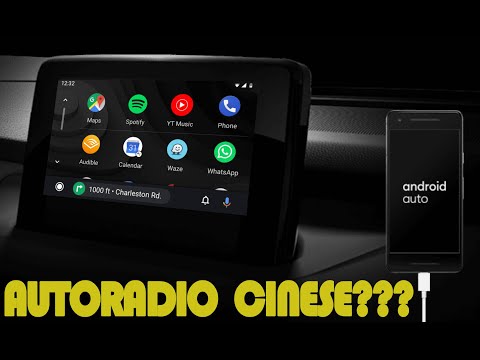
(Various brands) Various
If you have a low-cost Chinese car radio that is full of bugs and slow in operation, follow this advice. First, open the Play Store and search for th…

(Various brands) Various
To reset the Infotainment system, obtain a thin object like a toothpick: this needs to be inserted into the small hole located in the left corner of …

(Various brands) Various
Let’s look at a selection of the best budget tyres (we wouldn’t call them 'budget brands' as the video does, as it seems offensive. They are all exce…
Other guides you may be interested in |
How to Reset the AdBlue Warning Light on a Peugeot Boxer
To reset the AdBlue system on a 2018 Peugeot Boxer, follow these steps: Start the engine and ensure the vehicle is parked in a well-ventilated area. Locate the "MENU" button on the dashboard or steering wheel controls. Press and hold the "MENU" button until the menu options appear on the display. Use the arrow buttons or scroll wheel to access the "Vehicle Settings" or "Settings" menu. Select the "AdBlue" or "AdBlue System" option. Look for the "Recharge" or "Reset" option in the AdBlue menu. Once you find the reset option, select it and confirm your choice when prompted. The system will be reset, and a confirmation message may appear on the display. Turn off the engine and wait a few seconds. Restart the engine and check that the AdBlue system has been reset. by ScegliAuto More videos
|
|
For advertising on this site Write to info@scegliauto.com
ScegliAuto is not responsible for any inaccuracy of the data in the lists. To report any inaccuracy or your business (if you own the business in question), please write to info@scegliauto.com
Number of seconds to generate the page: 0.043
(c) ScegliAuto 2026 - info@scegliauto.com - Privacy policy VAT number: IT01247470535 |
