
|
Do it yourself
| |||
| ||||


How to Reset a Junsun Device to Factory Settings
Model: (Various brands) Various
Video tutorial
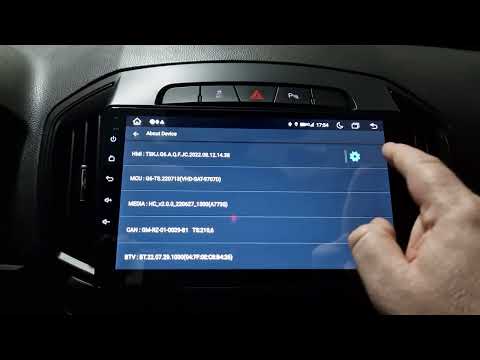
In this video, we will see how to return a Junsun device to factory settings: first, go to the settings, select "vehicle infotainment", then "device information" and go to the small wheel found at the top right. A keyboard will open where you need to enter the code 8888. Confirm and go to the option "delete all content". Confirm again. The screen will turn off and then turn back on with the vehicle logo. All Android symbols will then appear, and the screen will turn back on as if it just came out of the factory, without any customisation.
Updated on 22 August 2026 by ScegliAuto
Related tutorials
(Various brands) Various
Today, we will see how to reset the factory settings of the Junsun car radio. To perform the factory reset, turn on the onboard computer and select t…
(Various brands) Various
Restoring the factory settings of the Junsun V1 Pro on-board computer is a very simple task, easily performed independently with the help of our vide…

(Various brands) Various
In this video, we see a Junsun radio device that has frozen, and we will demonstrate how to perform a hard reset. Go to the settings and then to the …
Other guides you may be interested in
|
Where are the fuses located on the Renault Laguna?
On the Renault Laguna, the fuses are located inside the fuse boxes installed in the vehicle: in this car model, you will find two boxes for containing the fuses. The first is in the fuse box on the left side of the dashboard, accessible by opening the driver's door: here you will find the fuses for the windscreen wipers, fog lights, horn, etc. The second box is located on the right side of the engine compartment: here you will find the fuses for the dipped headlights, radiator fan, alternator, etc. by ScegliAuto More videos
|
For advertising on this site Write to info@scegliauto.com
ScegliAuto is not responsible for any inaccuracy of the data in the lists. To report any inaccuracy or your business (if you own the business in question), please write to info@scegliauto.com
Number of seconds to generate the page: 0.118
(c) ScegliAuto 2026 - info@scegliauto.com - Privacy policy VAT number: IT01247470535 |
