
|
Do it yourself
| |||
| ||||


How to Set the Clock on the Tachograph?
Model: (Various brands) Various
To adjust the clock on the tachograph, press and hold the down arrow until the "Vehicle Entry" option appears. Confirm this selection by pressing the OK button, and by scrolling down again with the arrow, you can select the "Local Time" option. A screen will appear where you can adjust the local time, changing it by a quarter of an hour using the appropriate arrows. Once the time has been confirmed, press the OK button; the UTC time within the tachograph cannot be modified.
Updated on 3 September 2026 by ScegliAuto
Video tutorial
Related tutorials
(Various brands) Various
To set the clock on the tachograph, press the OK button located on the right side of the tachograph. Then scroll down using the appropriate arrow unt…
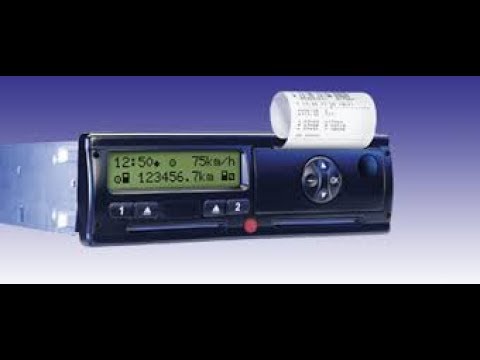
(Various brands) Various
To set the tachograph clock, press and hold the down arrow until "Vehicle Entry" appears. Confirm the selection by pressing the OK button and scroll …
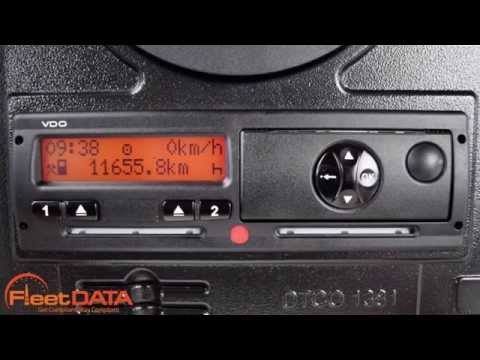
(Various brands) Various
The process for changing the time on a Siemens VDO digital tachograph may vary slightly depending on the model and version of the tachograph. However…
Other guides you may be interested in
|
How to reset the tyre pressure warning light on a Hyundai Tucson
Below are the instructions to reset the tyre pressure warning light (TPMS) on a Hyundai Tucson. First, get into the vehicle and turn on the instrument cluster; then navigate to the vehicle settings until you reach the tyre pressure monitor, identifying the tyre with incorrect pressure. At this point, restore all tyre pressures according to the specifications indicated on the label; this will reset the TPMS and the warning light will be cleared from the instrument cluster! by ScegliAuto More videos
|
|
For advertising on this site Write to info@scegliauto.com
ScegliAuto is not responsible for any inaccuracy of the data in the lists. To report any inaccuracy or your business (if you own the business in question), please write to info@scegliauto.com
Number of seconds to generate the page: 0.594
(c) ScegliAuto 2026 - info@scegliauto.com - Privacy policy VAT number: IT01247470535 |
