
|
Do it yourself
| |||
| ||||



How to Replace the Timing Belt on a VW Polo
Model: Volkswagen Polo
6R, MK V, Polo 5, Polo V, MK 5
- Years:
2009, 2010, 2011, 2012, 2013, 2014, 2015, 2016, 2017
Video tutorial
Replacing the timing belt on a Volkswagen Polo will become a simple experience thanks to our video guide. The first step is to open the front bonnet. The second step is to lift the vehicle and remove the front right wheel. The third step is to remove the wheel arch liner using a T25 Torx bit. The fourth step is to unscrew the timing belt cover. The fifth step is to loosen the belt to remove it. The sixth step is to remove the timing belt. The seventh step is to reintroduce the new belt, tighten it, and close the cover, starting with the lower one, so you can reassemble the wheel arch liner and wheel, and then the upper cover.
Updated on 28 October 2026 by ScegliAuto
Related tutorials
Volkswagen Polo
(2001-2009 /
MK IV, Polo 4, 9N, MK 4, Polo IV)
In today's video, you will learn how to replace the timing belts on a Volkswagen Polo from the early 2000s. First, lift your vehicle on a ramp. It is…

Volkswagen Polo
(2009-2017 /
6R, MK V, Polo 5, Polo V, MK 5)
In this guide, we will see how and when to change the timing belt of the Volkswagen Polo with TSI engine. The timing belt on this type of engine shou…
Volkswagen Polo
(2009-2017 /
6R, MK V, Polo 5, Polo V, MK 5)
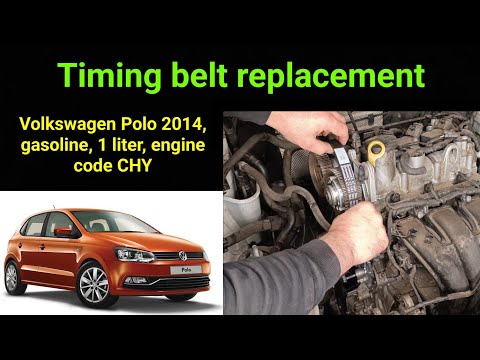
Hello, today you will replace the timing belt on your Volkswagen Polo. Start by positioning the car on a flat surface and ensure the engine is cold. …
Other guides you may be interested in
|
Frequently Asked QuestionsHow to Set the Clock on a Suzuki SX4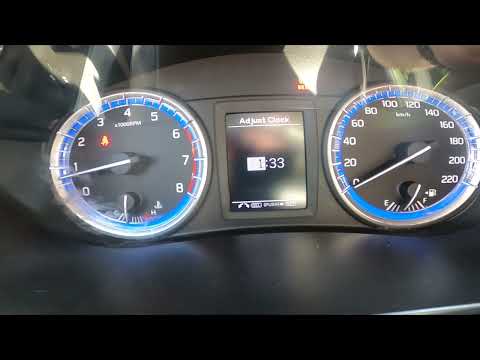
To set the clock on the Suzuki SX4's onboard computer, follow this procedure: first, turn on the ignition without starting the engine, then press and hold the button located at the top right of the onboard computer for 3 seconds. Once the menu appears, use the button to scroll to the clock settings option, then press OK and scroll to the adjust clock option. At this point, set the time, and once adjusted, click on the back option. The procedure takes little time and does not require any tools. by ScegliAuto More videos
|
|
For advertising on this site Write to info@scegliauto.com
ScegliAuto is not responsible for any inaccuracy of the data in the lists. To report any inaccuracy or your business (if you own the business in question), please write to info@scegliauto.com
Number of seconds to generate the page: 0.032
(c) ScegliAuto 2026 - info@scegliauto.com - Privacy policy VAT number: IT01247470535 |
