
|
Do it yourself
| |||
| ||||


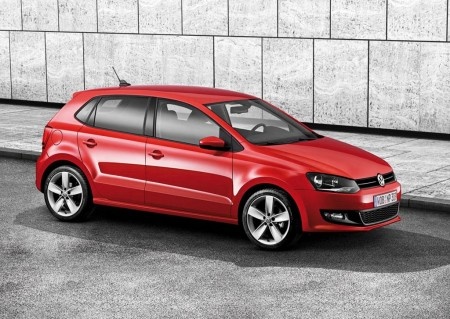
How to Change the Indicator Bulb in the Wing Mirror of a Volkswagen Polo 5
Model: Volkswagen Polo
6R, Polo V, MK V, Polo 5, MK 5
- Years:
2009, 2010, 2011, 2012, 2013, 2014, 2015, 2016, 2017
Video tutorial
This guide shows you how to change the indicator in the wing mirror of a Volkswagen Polo 5. Start by removing the mirror from its position using a plastic lever, then disconnect the two heating cables and remove it completely. Next, remove the rear cover of the wing mirror by pushing the two securing clips as shown in the video. After that, use a Torx 20 key to unscrew the three screws that hold the remaining parts of the mirror. Once done, remove the upper plastic frame of the mirror to replace the side indicator by first disconnecting its wiring. Finally, reassemble everything by following the reverse procedure.
Updated on 21 November 2026 by ScegliAuto
Related tutorials
Volkswagen Polo
(1994-2003 /
6N, Polo III, MK III, Polo 3, MK 3)
In the following guide dedicated to all of you who own a Volkswagen Polo 6N (year 2000), we will explain how you can complete the replacement of the …

Volkswagen Polo
(1994-2003 /
6N, Polo III, MK III, Polo 3, MK 3)
Today's steps will show you the procedure for removing and replacing the side indicator bulb on a Volkswagen Polo. First, move to the side and carefu…

Volkswagen Polo
(2009-2017 /
6R, Polo V, MK V, Polo 5, MK 5)
Before starting, open the front bonnet of your Volkswagen Polo. Begin by disconnecting the rear electrical connector that powers the front lamp bulbs…
ScegliAuto offers an extensive international collection of automotive tutorials available in 12 languages. Each guide combines instructional videos with original explanations written by experienced human editors, along with information about the car models covered.
Other guides you may be interested in |
How to Disable the Folding Mirrors on the Peugeot 2008
To prevent the mirrors from folding every time you open/close the car on the Peugeot 2008, start by turning on the instrument cluster. Switch on the infotainment screen, go to the main menu, click on "Vehicle", then click on "Vehicle Settings" at the bottom, followed by "Parking". Find the option "Mirror Folding Lock", and click on "On": this will disable the folding mirrors, keeping them open. To enable the mirrors to fold again, click on "Off" and they will return to folding/unfolding. by ScegliAuto More videos
|
|
For advertising on this site Write to info@scegliauto.com
ScegliAuto is not responsible for any inaccuracy of the data in the lists. To report any inaccuracy or your business (if you own the business in question), please write to info@scegliauto.com
Number of seconds to generate the page: 0.075
(c) ScegliAuto 2026 - info@scegliauto.com - Privacy policy - About us VAT number: IT01247470535 |
