
|
Do it yourself
| |||
| ||||


How to Replace the Remote Battery in a Volkswagen ID.4?
Model: Volkswagen Id 4
MK 1
- Years 2020-2026
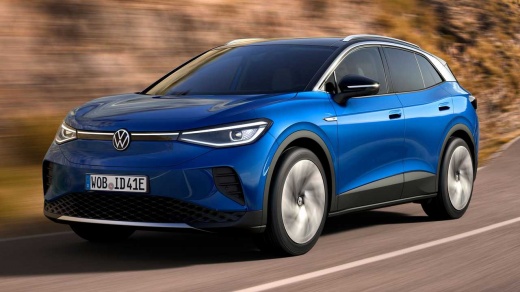
In this tutorial, you will see how to replace the remote battery in a Volkswagen ID.4, an extremely simple and quick operation. For this, you will only need a small flat screwdriver and a replacement battery of type CR2032. First, extract the emergency metal key by pressing the designated button, then use the key itself to pry open the indicated slot and unlock the rear cover. Next, remove the old battery using the screwdriver, insert the replacement while respecting the polarity, and reassemble everything by following the reverse procedure.
Posted on 4 May 2026 by ScegliAuto
Video tutorial
Related tutorials
Volkswagen Id 4
(2020-2026 /
MK 1)
In this tutorial, we will see how to replace the battery of the Volkswagen ID.4 remote, a very simple and quick operation. For this, you will need a …

Volkswagen Id 4
(2020-2026 /
MK 1)
In this tutorial, you will see how to replace the remote battery on the Volkswagen ID.4, a very simple and quick operation. You will need a small fla…

Volkswagen Id 4
(2020-2026 /
MK 1)
Briefly, we will see the instructions that will allow us to remove and replace the 12V battery on a Volkswagen ID 4. First, open the front bonnet of …
Other guides you may be interested in
|
How to reset the tyre pressure warning light on the Dacia Sandero?
To reset the tyre pressure warning light on the Dacia Sandero, inflate all the tyres to the pressure indicated on the label on the driver's door. Once the tyres are inflated, turn on the ignition and navigate through the menu using the controls on the right side of the steering wheel. Scroll with the arrows to find the tyre pressure option: by holding down the OK button located on the right side of the steering wheel, you can reset the warning light. by ScegliAuto More videos
|
|
For advertising on this site Write to info@scegliauto.com
ScegliAuto is not responsible for any inaccuracy of the data in the lists. To report any inaccuracy or your business (if you own the business in question), please write to info@scegliauto.com
Number of seconds to generate the page: 0.305
(c) ScegliAuto 2026 - info@scegliauto.com - Privacy policy VAT number: IT01247470535 |
