
|
Do it yourself
| |||
| ||||


How to replace the indicator in the Volkswagen Golf 7
Model: Volkswagen Golf
Golf VII, MK 7, Golf 7
- Years 2012-2019
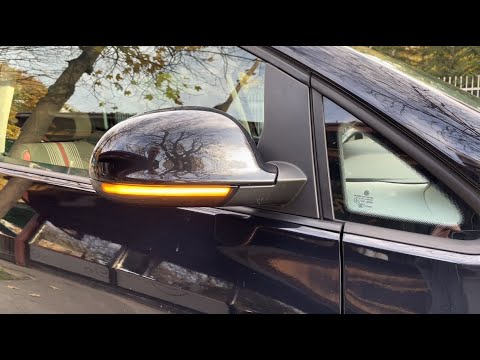
In this video, see the correct way to replace the side mirror indicator. The first step is to remove the mirror surface, held in place with a clip mechanism. After that, you can remove the rear part of the mirror. At this point, the indicator lens is fully accessible, and you can extract it after unscrewing the securing screws and disconnecting the electrical connector. To install the new side indicator, simply reverse the steps taken from the beginning to this point.
Posted on 1 June 2026 by ScegliAuto
Video tutorial
Related tutorials
Volkswagen Golf
(2008-2012 /
MK 6, Golf VI, Golf 6, 5K1)
Remove the outer cover of the mirror: use a sharp, preferably plastic tool to avoid damaging the paint. Next, detach the mirror glass and remove the …
Volkswagen Golf
(2008-2012 /
MK 6, Golf VI, Golf 6, 5K1)
Replacing the indicator located beneath the external rear-view mirror of your Volkswagen Golf Mk6 is one of the quickest and simplest tasks you can p…
Volkswagen Golf
(2012-2019 /
Golf VII, MK 7, Golf 7)
In this video tutorial, you will learn how to enable the automatic closing of the external wing mirrors on a Volkswagen Golf. First, connect your dia…
Other guides you may be interested in
|
How to Reset the Tyre Pressure Light on the Opel Grandland X
While driving, if you notice the tyre pressure warning light coming on, first check the actual inflation pressure of the tyres and, if necessary, restore the pressures recommended by the manufacturer. After restoring the correct pressures, you need to reset the warning light that has illuminated on the instrument cluster. To do this, locate the reset button on the lower central console. Press this button and hold it down for at least 3 seconds, after which the low pressure indication will turn off. by ScegliAuto More videos
|

|
For advertising on this site Write to info@scegliauto.com
ScegliAuto is not responsible for any inaccuracy of the data in the lists. To report any inaccuracy or your business (if you own the business in question), please write to info@scegliauto.com
Number of seconds to generate the page: 0.144
(c) ScegliAuto 2026 - info@scegliauto.com - Privacy policy VAT number: IT01247470535 |
