
|
Do it yourself
| |||
| ||||


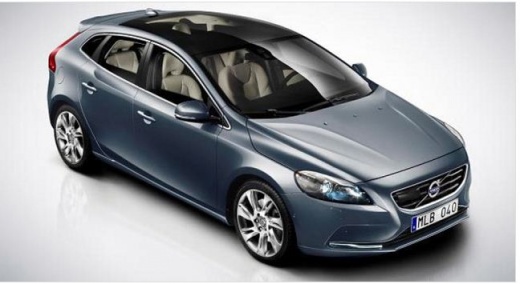
Resetting the Service Reminder on the Volvo V40
Model: Volvo V40
MK 2
- Years:
2012, 2013, 2014, 2015, 2016, 2017, 2018, 2019
Video tutorial
These brief and simple steps will show you how to reset the routine maintenance (service) reminder on the Volvo V40. To perform the service reset, a specific diagnostic software is required, which should be connected to the vehicle's OBD port. Select the brand, model, and engine type, navigate to the service option on the tool, and follow the guided procedure to confirm and execute the reset of the maintenance key, as shown in the video. At this point, turn off the ignition and disconnect the tool, then start the engine!
Updated on 8 November 2026 by ScegliAuto
Related tutorials
Volvo V40
(2012-2019 /
MK 2)
In this guide, you will find instructions on how to reset the service light for the regular maintenance oil change on a Volvo V40. First, get inside …

Volvo V40
(2012-2019 /
MK 2)
Today we will discover the instructions that will allow us to reset the service maintenance reminder for the regular oil change of the Volvo V40. Fir…

Volvo V40
(2012-2019 /
MK 2)
When going to the workshop to carry out the servicing of your Volvo V40 Cross Country, it will be the responsibility of the staff to turn off the ser…
Other guides you may be interested in
|
How to Reset the Tyre Pressure Light on a Cupra Formentor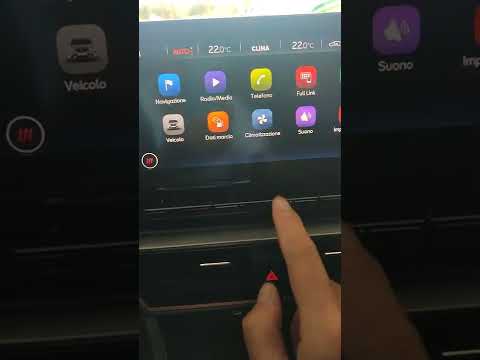
In this brief and simple video tutorial, learn how to reset the tyre pressure on a Cupra Formentor. Start by pressing the ignition button to turn on the instrument cluster. Now, use the touchscreen display on the central console to open the car menu. From here, select the driving data option, then the tyre pressure option. Now, click on the "SET" button with the pressure warning symbol and confirm the correct tyre pressure required by the manufacturer to perform the reset. by ScegliAuto More videos
|
|
For advertising on this site Write to info@scegliauto.com
ScegliAuto is not responsible for any inaccuracy of the data in the lists. To report any inaccuracy or your business (if you own the business in question), please write to info@scegliauto.com
Number of seconds to generate the page: 0.305
(c) ScegliAuto 2026 - info@scegliauto.com - Privacy policy VAT number: IT01247470535 |
