
|
Do it yourself
| |||
| ||||


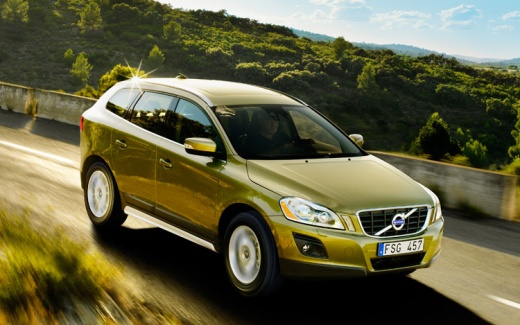
How to Reset the Tire Light on a Volvo XC60?
Model: Volvo Xc60
MK 1
- Years 2008-2016
In this tutorial, you will learn how to reset the tire light on a Volvo XC60. This operation is extremely simple and quick, and should be done only after restoring the correct pressure in each tire according to the instructions in the manual. First, enter the cabin, then insert the key and turn on the ignition. Next, navigate to the main menu on the center display, go to "My Car", then "My XC60", and select "Tire Monitor" to perform the reset by choosing "Start calibration". Once you confirm your selection, you can complete the procedure by restarting the vehicle.
Posted on 11 July 2026 by ScegliAuto
Video tutorial
Related tutorials
Volvo Xc60
(2008-2016 /
MK 1)
Resetting the tire pressure light in the Volvo XC60, as we can see in this tutorial, is an extremely simple and quick operation. Before proceeding, w…

Volvo Xc60
(2017-2026 /
MK 2)
In this tutorial, we will see how to reset the tire warning light in the Volvo XC60, a very simple and quick operation that should only be done once …

Volvo Xc60
(2017-2026 /
MK 2)
In this tutorial, we can see how to reset the tire pressure warning light in the Volvo XC60, an extremely simple and quick operation, to be done only…
Other guides you may be interested in
|
How to Lower the Rear Seat Backs of the Mercedes C-Class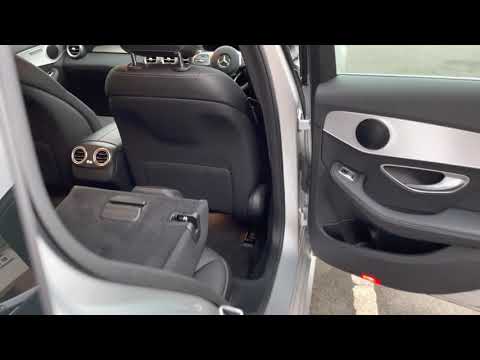
Follow these steps to lower the rear seat backs of the Mercedes C-Class. First, unlock the door latches and open the trunk. On both sides, there is a release button for the seat backs that will allow you to lower them instantly, as shown in the video. To raise the seat backs again, you must do it manually until they latch securely; reclining the seat backs will significantly increase the cargo space! by ScegliAuto More videos
|
|
For advertising on this site Write to info@scegliauto.com
ScegliAuto is not responsible for any inaccuracy of the data in the lists. To report any inaccuracy or your business (if you own the business in question), please write to info@scegliauto.com
Number of seconds to generate the page: 0.128
(c) ScegliAuto 2026 - info@scegliauto.com - Privacy policy VAT number: IT01247470535 |
