
|
Do it yourself
| |||
| ||||


How to reset the engine oil light on the Yamaha Tmax 500
Model: Yamaha Tmax 500
Video tutorial
After replacing the engine oil and oil filter, it will be necessary to reset the maintenance service light on the Yamaha Tmax 500 scooter. First, put the scooter on the center stand and start pressing and holding the button located at the bottom of the instrument panel (left side); then turn on the instrument panel and wait for the service light to stop flashing on the display, until it resets completely, as shown in the video. At this point, turn off the instrument panel and start the engine, verifying the actual reset!
Posted on 17 August 2025 by ScegliAuto
Related tutorials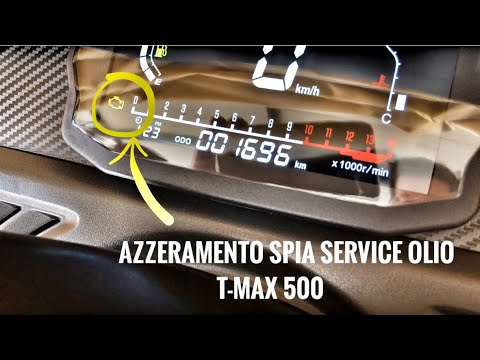
Tmax 500
In this new guide for all Yamaha TMax 500 owners, we will discover how to manually reset the oil light that appears on the dashboard. First, position…

Tmax 500
In this tutorial, you will see how to change the engine oil on a Yamaha TMAX 500 scooter, a very simple and quick operation. First, ensure the engine…
Tmax 500
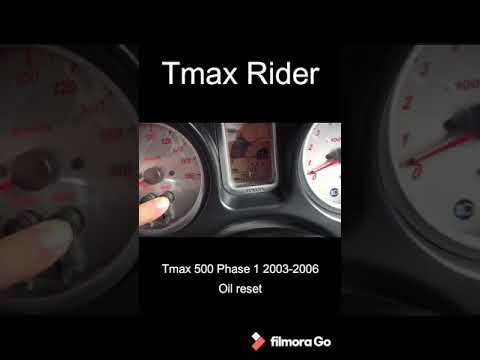
To reset the oil light on a Yamaha Tmax 500, turn on the ignition by rotating the key in the ignition switch. Once the instrument cluster is on, pres…
|
How to reset the service on the BMW R1200 GS?
This tutorial shows how to reset the service on the BMW R1200 GS, a very simple and quick operation to perform only after completing all required scheduled maintenance tasks. To do this, you will need the scanner shown in the video, which can be easily obtained online. Start by connecting the scanner to the OBD socket, which is located near the battery, then interface it with the appropriate application to install on your smartphone. Next, select the correct model from the list, go to "Instrumentation", "Service Reset", and perform the reset using the relevant option. by ScegliAuto More videos
|
|
For advertising on this site Write to info@scegliauto.com
ScegliAuto is not responsible for any inaccuracy of the data in the lists. To report any inaccuracy or your business (if you own the business in question), please write to info@scegliauto.com
Number of seconds to generate the page: 0.008
(c) ScegliAuto 2026 - info@scegliauto.com - Privacy policy VAT number: IT01247470535 |
