
|
Do it yourself
| |||
| ||||


Model: Yamaha Ray Zr
This tutorial shows how to set the time on the Yamaha Ray ZR 125 scooter, a very simple and quick operation, for example, after disconnecting the battery or during the switch to daylight saving time. First, insert the key, then turn on the instrument cluster and navigate to the time setting using the button on the dashboard. Hold the button until the clock starts flashing, adjust the hour by pressing the button quickly, and hold it again to switch to minutes. Similarly, you can adjust the minutes and finally save the setting.
Posted on 25 July 2026 by ScegliAuto
Video tutorial
Related tutorials
Ray Zr
In the following guide, we will discover together the steps you need to follow in order to correctly replace the brake light bulb of your Yamaha Ray …

Ray Zr
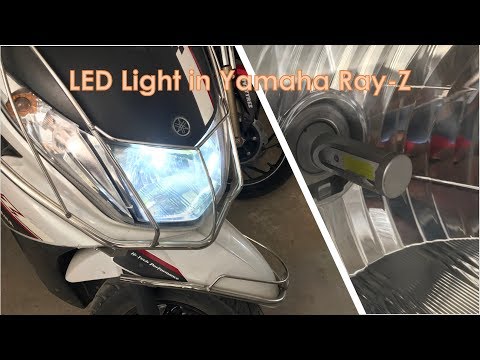
In this tutorial we can see how to replace the headlight bulb in the Yamaha Ray ZR 125 scooter, an extremely simple and quick operation. First of all…
Ray Zr
In this tutorial, you will see how to replace the headlight bulbs on the Yamaha Ray ZR scooter, a very simple and quick operation. First, ensure that…
|
How to Replace the Tyres on the Husaberg FE 450
In this guide, follow the instructions to remove and replace the tyres on the Husaberg FE 450 enduro bike. First, place the bike on a stand and lift the wheel off the ground; then, undo the bolts securing the brake caliper to remove it, as shown in the video. Next, unscrew the central axle of the wheel, removing the tyre from the rim (deflating it and using levers); then install the new tyre, ensuring it has the correct dimensions, following the video tutorial to the end! by ScegliAuto More videos
|
|
For advertising on this site Write to info@scegliauto.com
ScegliAuto is not responsible for any inaccuracy of the data in the lists. To report any inaccuracy or your business (if you own the business in question), please write to info@scegliauto.com
Number of seconds to generate the page: 0.005
(c) ScegliAuto 2026 - info@scegliauto.com - Privacy policy VAT number: IT01247470535 |
