
|
Do it yourself
| |||
| ||||


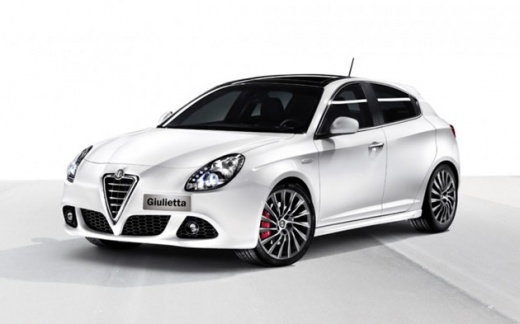
How to Replace the Number Plate Light Bulb on an Alfa Romeo Giulietta
Model: Alfa Romeo Giulietta
MK 1
- Years:
2010, 2011, 2012, 2013, 2014, 2015, 2016, 2017, 2018, 2019, 2020
Video tutorial
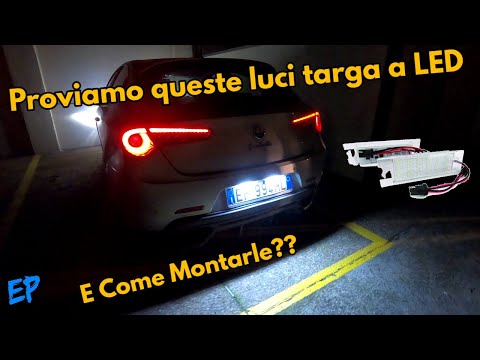
To replace the number plate light bulb on an Alfa Romeo Giulietta, you will need a flathead screwdriver. Insert a thin screwdriver into the side of the bulb to lever it out of its housing. Disconnect the bulb connector, remove the worn bulb, and insert the new one. Reconnect the connector and place the number plate light back into its housing. Once finished, check that the replacement was successful by turning on the instrument cluster and the car lights.
Updated on 4 November 2026 by ScegliAuto
Related tutorials
Alfa Romeo Giulietta
(2010-2020 /
MK 1)
Today we will discover the instructions that will allow us to disassemble and replace the front fog light bulb of the Alfa Romeo Giulietta. First, le…
Alfa Romeo Giulietta
(2010-2020 /
MK 1)
In today's tutorial, you will learn how to remove and replace the number plate lights on the Alfa Romeo Giulietta, following the instructions below. …

Alfa Romeo Giulietta
(2010-2020 /
MK 1)
Below we will see the instructions that will allow us to disassemble and replace the lower bulb of the door (or welcome light) of the Alfa Romeo Giul…
Other guides you may be interested in
|
How to Replace the Rear Light Bulb on a Citroen C5
To replace the rear light bulb on a 2015 Citroën C5, open the boot of the vehicle and remove the side carpet to access the inside of the light unit. Disconnect the light connector and remove the screw. Take out the light unit and proceed to replace the stop light bulb. Open the light housing and replace the bulb. Follow the same procedure for the right rear light bulb. Once the replacement is complete, refit the light unit, reconnect the connector, and close the side carpet. If the bulb does not work correctly, check the fuse related to the light before replacing it again. by ScegliAuto More videos
|
|
For advertising on this site Write to info@scegliauto.com
ScegliAuto is not responsible for any inaccuracy of the data in the lists. To report any inaccuracy or your business (if you own the business in question), please write to info@scegliauto.com
Number of seconds to generate the page: 0.041
(c) ScegliAuto 2026 - info@scegliauto.com - Privacy policy VAT number: IT01247470535 |
