
|
Do it yourself
| |||
| ||||


Model: Aprilia Sr 125
Follow this guide to perform the routine maintenance service by changing the engine oil and oil filter of the Aprilia SR 125 scooter. First, place the scooter on its centre stand and warm up the engine for a few minutes; then, unscrew the oil drain bolt located underneath the engine, allowing it to drain into a container for about ten minutes, as shown in the video. At this point, clean the drain plug of any residual dirt and unscrew the oil filler cap; finally, top up with the correct new oil!
Updated on 24 May 2026 by ScegliAuto
Video tutorial
Related tutorials
Sr 125
In this tutorial, you will see how to change the engine oil on the Aprilia SR 125 scooter, a very simple and quick operation. First, ensure that the …

Sr 125
In this tutorial, you will see how to change the transmission oil in the Aprilia SR 125 scooter, a very simple and quick operation. First, ensure tha…

Sr 125
The information provided in this guide will show us how to perform a complete service on the Aprilia SR 125 scooter. First, we put the central stand …
|
How do you reset the Oil Check light on the Sym VF 185?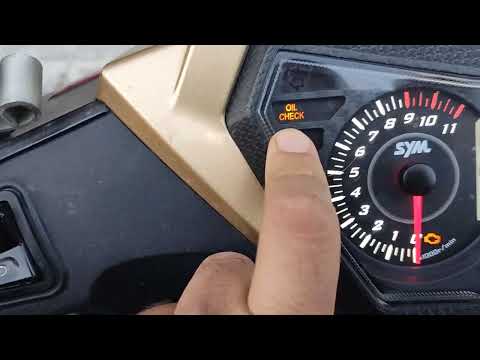
In order to reset the Oil Check light on the Sym VF 185, you need to turn on the instrument panel by turning the key in the ignition switch. Once the panel is on, you can press and hold the button located at the bottom right of the instrument panel for a few seconds. You will need to continue holding the button for a few seconds and then release it before pressing the next button. This will make the Oil Check light disappear from the instrument panel, and you can turn it off again by turning the key in the opposite direction. by ScegliAuto More videos
|
|
For advertising on this site Write to info@scegliauto.com
ScegliAuto is not responsible for any inaccuracy of the data in the lists. To report any inaccuracy or your business (if you own the business in question), please write to info@scegliauto.com
Number of seconds to generate the page: 0.007
(c) ScegliAuto 2026 - info@scegliauto.com - Privacy policy VAT number: IT01247470535 |
