
|
Do it yourself
| |||
| ||||


|
Model: Aprilia Leonardo
Let’s briefly go through the steps to remove and replace the variator, rollers, and drive belt of the Aprilia Leonardo 125 scooter. First, place your scooter on the centre stand and start by removing the transmission cover by unscrewing the fixing screws; then unscrew the nut of the fan and that of the clutch bell, subsequently removing the drive belt as shown in the video. At this point, remove the variator and the rollers found inside; replace any components with new ones if necessary, and reassemble everything!
Updated on 11 August 2026 by ScegliAuto
Video tutorial
Related tutorials
Leonardo
In today's tutorial video, you will see the instructions to dismantle and replace the drive belt on the Aprilia Leonardo 125 scooter. First, place yo…

Leonardo
This guide provides instructions to remove and replace the rear wheel bearing on the Aprilia Leonardo 125 scooter. First, place your scooter on the c…
Leonardo
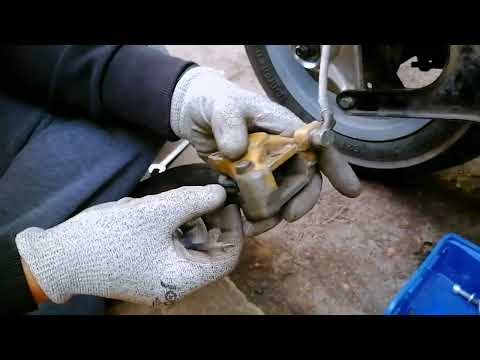
Today, discover the instructions that will allow you to remove and replace the rear brake pads of the Aprilia Leonardo 125 scooter. First, place your…
|
How to reset the oil light on the Honda SH 125
If the oil light appears on your Honda SH 125 dashboard despite having recently changed the oil, don't worry as you can resolve this minor issue with a simple manual reset procedure. First, turn on the ignition and hold down the "Info A" and "Info B" buttons located at the bottom of the left knob. At this point, press the "Info B" button multiple times until the oil change indicator starts to flash. Finally, press the "Info A" button once to perform the reset. The procedure is now complete. by ScegliAuto More videos
|
|
For advertising on this site Write to info@scegliauto.com
ScegliAuto is not responsible for any inaccuracy of the data in the lists. To report any inaccuracy or your business (if you own the business in question), please write to info@scegliauto.com
Number of seconds to generate the page: 0.006
(c) ScegliAuto 2026 - info@scegliauto.com - Privacy policy VAT number: IT01247470535 |
